









- Automotive
- Sanding - Polishing
- One sided adhesive tapes
- Packing tapes
- Coloured - marking tapes
- Electrical tapes
- Office tapes, adhesive tapes
- Slick surface tapes
- Metal adhesive tapes
- Masking crepe tape
- Masking special tapes
- Surface protection tapes
- Foam - sealing tapes
- Anti-slip tapes
- Self-adhesive rubber cut-outs
- Special tapes
- Textile tapes
- Warning and reflective tapes
- Double-sided adhesive tapes
- Electrical insulation material
- Glues
- Materials for the production of technical labels
- Flexible stoppers, bumpers
- Velcro straps
- Primers - activators - cleaners
- Accessories for adhesives, applicators
 Monitors
 Laptops
 Desktop and gaming computers
- Accessories and Add-ons
- Backpacks and laptop bags
- Electronic gadgets
- Ergonomic accessories
- External drives
- Gamepads
- Gaming tables
- Gaming chairs
- Microphones
- Internal drives
- Cables
- Office chairs
- Keyboards
- Mice
- Power supplies
- Memory cards
- Mouse pads
- Projectors and accessories
- Mobile phone accessories
- Speakers
- Keyboard and mouse sets
- Headphones
- USB Flash discs
- Gaming steering wheels
- Scales
- Webcams
How to choose the right printer?
Thanks to the wide range of printers available today, there is definitely plenty to choose from. A wide selection is certainly nice, but it can make it harder to decide which parameters to consider when choosing and which specific type of printer to prefer. Inkjet, laser, or would it be better to invest in a multifunction printer? Choosing the right printer really doesn't have to be as simple as it might seem at first glance. In the following lines, we will therefore attempt to provide a perspective on some printer parameters that could ultimately make your decision easier.

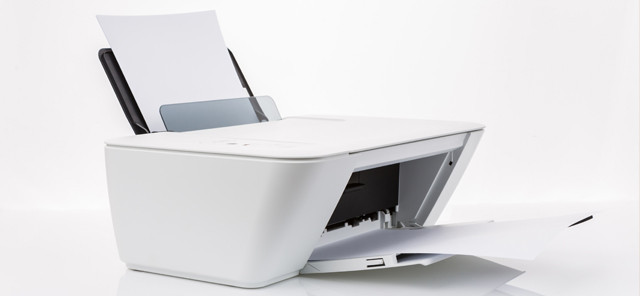
Before choosing a printer itself, you should answer a few simple questions that will, in principle, significantly influence your decision-making. Do you need a printer for occasional printing of color documents, or are you planning to print several hundred pages per month? Is a standard printer sufficient for you, or would you find a multifunction device that can copy and scan useful? In general, all types of printers have their specific advantages, but also weaker aspects, which then give them particular applications in printing. The answer to these questions will ultimately be important not only from the perspective of the printer's price, but above all it will help specify the selection of the most suitable device.
Printing technology
According to the printing technology, printers can be divided into inkjet, laser, or dot matrix.
Since each technology offers different capabilities, we will briefly look at their specific advantages, while also not overlooking their weaker aspects. We also recommend reading our older articles, which covered the printing technologies of inkjet and laser printers in more detail, as they can also help you choose the right printer.Inkjet printers
You will appreciate this type of printer not only for black-and-white printing, but also for color printing of text documents and photographs.Printed photographs are characterized by high quality, which can be enhanced by using high-quality photographic paper. Inkjet printers, thanks to their low purchase cost, are among the most commonly used printers in households. A disadvantage may be the higher cost of consumables and therefore also higher printing costs.
TIP: Read how an inkjet printer works.
Laser Printers
Printers equipped with this technology are somewhat more expensive, but they require lower operating costs. Laser printers offer fast, high-quality printing of black-and-white text documents, which allows them to excel especially in high-volume printing. They are therefore suitable for offices and are increasingly finding use in households as well. The disadvantage of these printers is lower quality when printing photographs.
Dot matrix printers
The greatest advantage of dot matrix printers is their exceptionally low printing costs.In addition, dot matrix printers allow printing multiple copies of text documents simultaneously. They could therefore find use in printing administrative text files, accounting documents, or wherever high print quality is not required. The disadvantage of dot matrix printers is high noise and slower, low-quality photo printing.

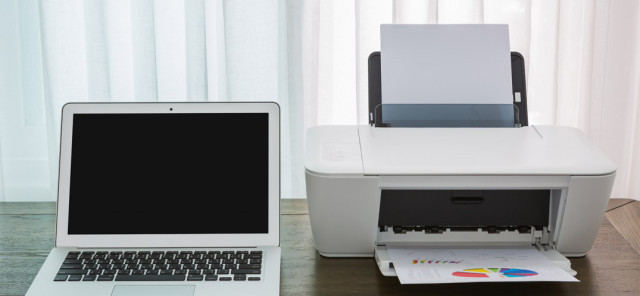
Other parameters can also be decisive
When choosing, it will be necessary to take into account the printer’s parameters or functions that may help meet your expectations. We will mention the most important ones.
Print resolution – DPI indicates how many dots a printer can print per inch (inch = 2.54 cm). Basically, a resolution of 300 x 300 DPI is sufficient for high-quality printing.
TIP: What printer resolution should you choose? Read our detailed article.
Print speed – this information indicates how quickly the printer can print a black-and-white or color page. The figure may be distorted by lower print quality settings. At higher quality, the printing speed may be somewhat lower than stated by the manufacturer.
Print format – this information indicates the largest format that can be printed. The most common format of current printers is A4 size, but special photo printers work with A5 format and smaller. Large-format printers can handle printing paper sizes from A3 to A1.
Double-sided printing (duplex) – before sending text files to print, it will be enough to enter a command on the computer and double-sided printing will become a reality. This option saves not only paper, but also time, as it eliminates the need to manually turn printed pages.
Borderless printing – the option to print documents or photos without a white border. You will use the entire surface of the paper for printing.
Printer communication interface – printers equipped with wireless technologies enabling connection to various devices simplify not only work, but also operation. In addition to the classic LAN connection and the printer's USB interface, it offers Bluetooth, WiFi, or NFC technology.
Memory card slot – printers equipped with a memory card slot allow scanning and printing of text pages or photographs without having to use a computer. After inserting the memory card, simply give the printer the command for the specific job and the printer will take care of the rest.
Scanner – provides the ability to scan text documents and photographs into digital form.
So how do you choose the right printer?
When choosing a printer, above all do not rush and tailor its parameters or functions to your own requirements. If you are only planning to print, you will unnecessarily invest in a sophisticated printer with premium features that will ultimately remain unused. An important part of a printer is its consumables, so when choosing a printer, don’t forget to take into account the price of toners and ink cartridges.