









- Automotive
- Sanding - Polishing
- One sided adhesive tapes
- Packing tapes
- Coloured - marking tapes
- Electrical tapes
- Office tapes, adhesive tapes
- Slick surface tapes
- Metal adhesive tapes
- Masking crepe tape
- Masking special tapes
- Surface protection tapes
- Foam - sealing tapes
- Anti-slip tapes
- Self-adhesive rubber cut-outs
- Special tapes
- Textile tapes
- Warning and reflective tapes
- Double-sided adhesive tapes
- Electrical insulation material
- Glues
- Materials for the production of technical labels
- Flexible stoppers, bumpers
- Velcro straps
- Primers - activators - cleaners
- Accessories for adhesives, applicators
 Monitors
 Laptops
 Desktop and gaming computers
- Accessories and Add-ons
- Backpacks and laptop bags
- Electronic gadgets
- Ergonomic accessories
- External drives
- Gamepads
- Gaming tables
- Gaming chairs
- Microphones
- Internal drives
- Cables
- Office chairs
- Keyboards
- Mice
- Power supplies
- Memory cards
- Mouse pads
- Projectors and accessories
- Mobile phone accessories
- Speakers
- Keyboard and mouse sets
- Headphones
- USB Flash discs
- Gaming steering wheels
- Scales
- Webcams
Docking stations
Docking stations for easy connectivity and expanded computer capabilities
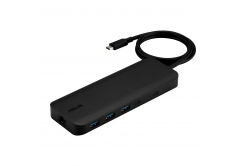
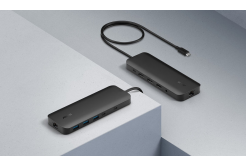
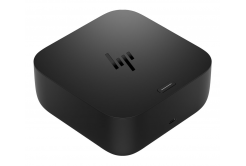
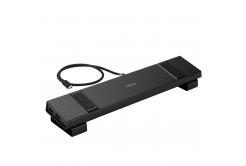
Docking stations offer a practical solution for connecting multiple devices to a computer through a single accessory. They make it easy to connect monitors, external drives, keyboards, mice, network cables, and other peripherals, creating a tidier workspace. Thanks to the wide range of USB-C docking stations, universal docking stations, and Thunderbolt-enabled models, you can expand the capabilities of your laptop, tablet, or other compatible device at home and in the office.
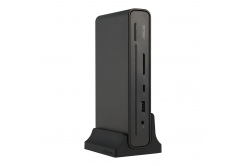
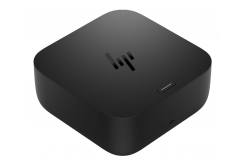
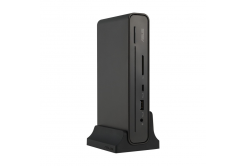
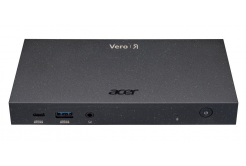


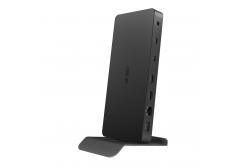
More connection options with a single docking station
Modern laptop docking stations let you expand the number of available ports without having to connect each device separately. You’ll especially appreciate this with laptops that have a limited number of ports. When used with notebooks, docking stations make it easier to switch between working on the go and a fully equipped workstation with external peripherals.
Depending on the specific model, docking stations may offer USB-A, USB-C, HDMI, DisplayPort, Ethernet, memory card readers, or audio outputs.
Selected variants also support powering a laptop via USB-C Power Delivery, allowing data transfer while simultaneously supplying power to a compatible device.What should you focus on when choosing a docking station?
When choosing a docking station, it is important to consider not only the number of ports, but also the supported technologies and compatibility with your computer. Individual models may vary significantly in their features.
- Connection type – USB-C, USB-A, or Thunderbolt, depending on the specific model and the computer’s supported interface.
- Number and type of ports – options for connecting USB devices, a network cable, external drives, and other peripherals.
- External monitor support – number of displays that can be connected, maximum resolution, and refresh rate.
- Power Delivery – the ability to charge a compatible laptop directly via the docking station.
- Compatibility – support for the operating system, image transmission, and required functions of the connected device.
It is important to remember that not every USB-C port supports video output or power delivery. Therefore, before purchasing, we recommend checking the technical capabilities of both the laptop and the docking station itself.
Work more comfortably with multiple monitors
One of the biggest advantages of docking stations is the ability to expand your workspace. Docking stations with HDMI or DisplayPort allow you to connect one or more external monitors to compatible devices, making it easier to work with documents, spreadsheets, graphics applications, or several open windows at the same time.
Selected models also support higher image resolutions, including 4K. However, the actual display capabilities depend on the docking station and computer used, as well as the supported transmission technologies.
Docking stations for home and professional use
In the Docking Stations category, you’ll find solutions from various manufacturers, ranging from compact models for simple port expansion to advanced options designed for more demanding workstation setups. A well-chosen docking station helps reduce the number of individually connected cables, makes it easier to keep your desk organized, and allows you to use your available accessories more efficiently.