









- Automotive
- Sanding - Polishing
- One sided adhesive tapes
- Packing tapes
- Coloured - marking tapes
- Electrical tapes
- Office tapes, adhesive tapes
- Slick surface tapes
- Metal adhesive tapes
- Masking crepe tape
- Masking special tapes
- Surface protection tapes
- Foam - sealing tapes
- Anti-slip tapes
- Self-adhesive rubber cut-outs
- Special tapes
- Textile tapes
- Warning and reflective tapes
- Double-sided adhesive tapes
- Electrical insulation material
- Glues
- Materials for the production of technical labels
- Flexible stoppers, bumpers
- Velcro straps
- Primers - activators - cleaners
- Accessories for adhesives, applicators
 Monitors
 Laptops
 Desktop and gaming computers
- Accessories and Add-ons
- Backpacks and laptop bags
- Electronic gadgets
- Ergonomic accessories
- External drives
- Gamepads
- Gaming chairs
- Microphones
- Internal drives
- Cables
- Office chairs
- Keyboards
- Mice
- Power supplies
- Memory cards
- Mouse pads
- Projectors and accessories
- Mobile phone accessories
- Speakers
- Keyboard and mouse sets
- Headphones
- USB Flash discs
- Gaming steering wheels
- Scales
- Webcams
Monitors
Monitors for work, entertainment, and everyday comfort
The right monitor can make a significant difference to your comfort while working, image quality, and overall computer experience. Whether you need an organized workspace for documents, detailed images for photo editing, or smooth visuals for gaming, our range includes monitors in various sizes, resolutions, and technologies. You can choose from models by Acer, ASUS, HP or Verbatim for home, office and more demanding use.
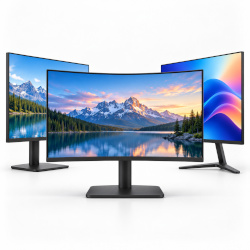
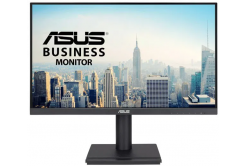

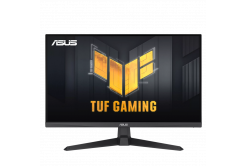

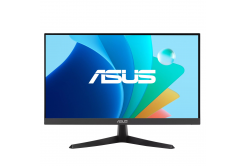
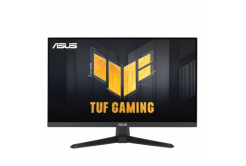
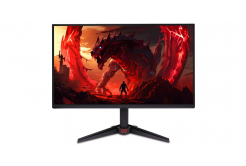
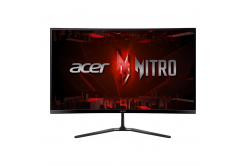
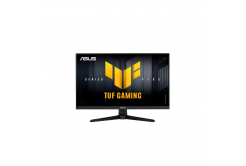

Which monitor should you choose based on how you plan to use it?
Every user has different screen requirements. Office monitors focus primarily on comfortable viewing of documents, spreadsheets, and work applications. They are a suitable addition to desktop and gaming computers and, when working with a laptop, can serve as an additional screen to extend your workspace.
Gaming monitors, on the other hand, emphasize fast response times and higher refresh rates, which contribute to smoother motion. For watching movies, working with graphics, or editing photos, accurate color reproduction, contrast, and sufficient resolution can be particularly important.
Screen size, resolution and display technologies
When choosing a monitor, it is worth focusing on specifications that directly affect image quality and ease of use. The individual models differ not only in screen size, but also in panel technology, aspect ratio, and refresh rate.
- Monitor diagonal: Smaller screens save space, while larger models provide more room to work with multiple windows simultaneously.
- Resolution: Full HD is a common choice for everyday use, while QHD or 4K offers more pixels and the ability to display finer details.
- Panel technology: IPS, VA and other panel types differ in colour reproduction, contrast, viewing angles and other characteristics.
- Refresh rate: Indicates the number of times the image is updated per second. Higher values can contribute to smoother visuals, especially when gaming.
- Aspect ratio and design: In addition to traditional widescreen displays, you can also choose from ultrawide or curved monitors.
Modern monitors and connectivity options
Monitor connectivity is also an important consideration when choosing a monitor. Common interfaces include HDMI and DisplayPort, with some models also featuring USB-C or older video connectors. It is always advisable to check the specific connectivity options against the outputs on the computer or laptop you will be using the monitor with.
Selected monitors may feature built-in speakers, USB ports, blue light reduction features, or other features that make everyday use easier. Some models also allow you to connect multiple devices and switch between individual video inputs.
A comfortable working environment thanks to the right settings
Image quality is not the only factor that affects comfort while working. The placement of the screen, its distance from your eyes, and the ability to adjust its position are also important. Monitors with an adjustable stand may allow you to adjust the height, tilt, or swivel, or rotate the screen into portrait orientation, if they support these features.
The positioning of the monitor, keyboard and mouse in relation to one another is also important for comfortable computer use. Proper positioning of individual devices helps create a well-organized workspace and promotes a more natural posture during prolonged work.
Monitors from well-known brands for a variety of needs
In the Monitors category, you will find screens from reputable manufacturers in various price ranges and designs. From basic models for office work and studying to larger work displays and monitors with more advanced image features. Thanks to the wide range available, you can choose based on the size of the work surface, the features you need, the design, and your budget.
Investing in the right monitor makes a difference in everyday computer use. A better-organized workspace, an appropriate resolution, and a properly configured screen can make working with documents, multitasking, and moments of relaxation more enjoyable.