









- Automotive
- Sanding - Polishing
- One sided adhesive tapes
- Packing tapes
- Coloured - marking tapes
- Electrical tapes
- Office tapes, adhesive tapes
- Slick surface tapes
- Metal adhesive tapes
- Masking crepe tape
- Masking special tapes
- Surface protection tapes
- Foam - sealing tapes
- Anti-slip tapes
- Self-adhesive rubber cut-outs
- Special tapes
- Textile tapes
- Warning and reflective tapes
- Double-sided adhesive tapes
- Electrical insulation material
- Glues
- Materials for the production of technical labels
- Flexible stoppers, bumpers
- Velcro straps
- Primers - activators - cleaners
- Accessories for adhesives, applicators
 Monitors
 Laptops
 Desktop and gaming computers
- Accessories and Add-ons
- Backpacks and laptop bags
- Electronic gadgets
- Ergonomic accessories
- External drives
- Gamepads
- Gaming tables
- Gaming chairs
- Microphones
- Internal drives
- Cables
- Office chairs
- Keyboards
- Mice
- Power supplies
- Memory cards
- Mouse pads
- Projectors and accessories
- Mobile phone accessories
- Speakers
- Keyboard and mouse sets
- Headphones
- USB Flash discs
- Gaming steering wheels
- Scales
- Webcams
Zebra ZC100 and ZC300 card printers - how to use them, guides and videos
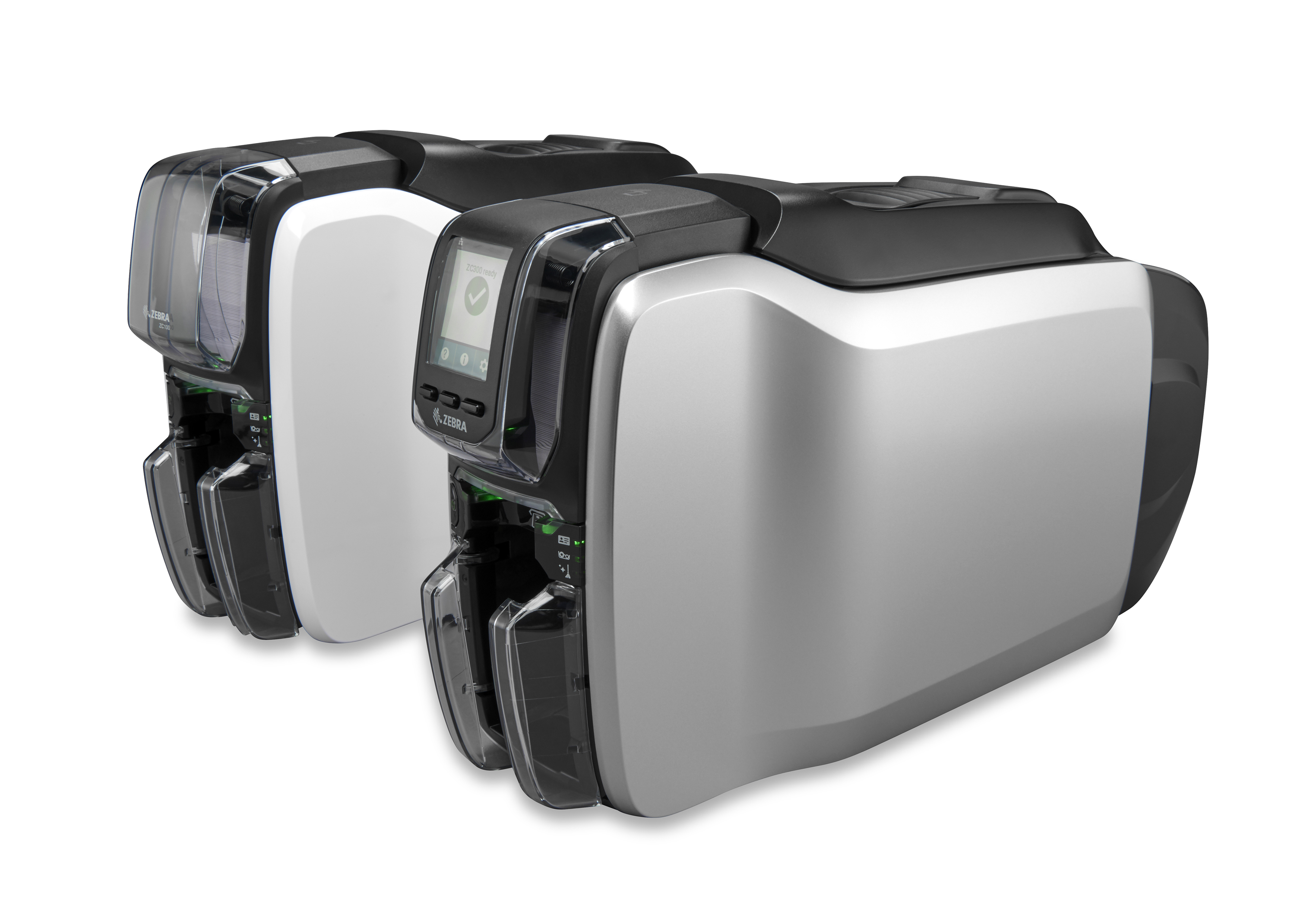
If you are considering purchasing, or your company is already using, one of these card printers, Zebra ZC100 or ZC300, you are absolutely in the right place:
| ZC100 ZC11-0000Q00EM00 | ZC100 ZC11-0000000EM00 | ZC100 ZC11-000C000EM00 | ZC100 ZC11-000W000EM00 | ZC100 ZC11-0M00000EM00 |
| ZC100 ZC11-0M0C000EM00 | ZC300 ZC31-000CQ00EM00 | ZC300 ZC31-000C000EM00 | ZC300 ZC31-000W000EM00 | ZC300 ZC31-0M0C000EM00 |
| ZC300 ZC31-AM0C000EM00 | ZC300 ZC32-000C000EM00 | ZC300 ZC32-000W000EM00 | ZC300 ZC32-0M0C000EM00 |
Zebra is an American company that not only manufactures the largest number of label printers in the world, but is also a major manufacturer of printers for printing plastic cards. The most widespread model is the Zebra ZC100, followed by the ZC300 model. Both models are available in a single-sided printing version (for printing on the other side, reinsertion is required), as well as for automatic double-sided printing in one go. Both model series are also available with various options for connecting to a computer - USB, LAN, WiFi, or a combination of all of them.
As you can see, the Zebra ZC100 and ZC300 are versatile printers that offer something for everyone.
1) Getting started with the Zebra ZC100/ZC300 printer.
2) How to replenish plastic cards? It's simple. Just insert it into the automatic feeder.
3) Do you sometimes need to insert just one card manually? Just set it up and that's it.
4) For the printer to be able to print, it is also necessary to replace the cartridge with the Zebra TTR ribbon. How to do it?
5) You have inserted both the cards and the ribbon cassette. You can now print the test card.
I believe you managed everything without any problems and now your access or loyalty cards are already printed.
Denis from CDRmarket.cz