









- Automotive
- Sanding - Polishing
- One sided adhesive tapes
- Packing tapes
- Coloured - marking tapes
- Electrical tapes
- Office tapes, adhesive tapes
- Slick surface tapes
- Metal adhesive tapes
- Masking crepe tape
- Masking special tapes
- Surface protection tapes
- Foam - sealing tapes
- Anti-slip tapes
- Self-adhesive rubber cut-outs
- Special tapes
- Textile tapes
- Warning and reflective tapes
- Double-sided adhesive tapes
- Electrical insulation material
- Glues
- Materials for the production of technical labels
- Flexible stoppers, bumpers
- Velcro straps
- Primers - activators - cleaners
- Accessories for adhesives, applicators
 Monitors
 Laptops
 Desktop and gaming computers
- Accessories and Add-ons
- Backpacks and laptop bags
- Electronic gadgets
- Ergonomic accessories
- External drives
- Gamepads
- Gaming tables
- Gaming chairs
- Microphones
- Internal drives
- Cables
- Office chairs
- Keyboards
- Mice
- Power supplies
- Memory cards
- Mouse pads
- Projectors and accessories
- Mobile phone accessories
- Speakers
- Keyboard and mouse sets
- Headphones
- USB Flash discs
- Gaming steering wheels
- Scales
- Webcams
Why are compatible cartridges blocked?
Blocking of the cartridge due to it not being recognized is not as rare as you might think. So if you are using a compatible toner and it has still been blocked, the only solution may be to update the printer firmware driver. In today’s article, we’ll reveal why such a situation actually occurs and what you can do to successfully avoid it.
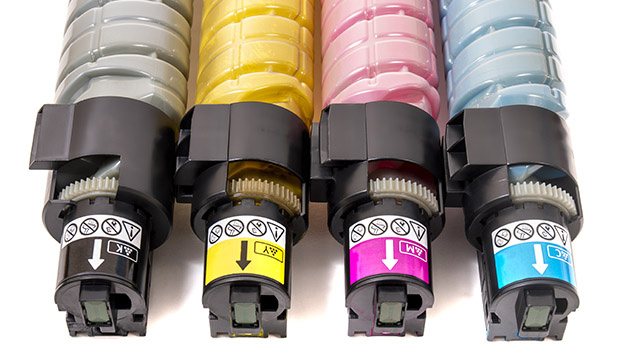
What types of toner do we know
If you are choosing a cartridge for your printer, you can choose from the following options:
- Original toners - they come from specific printer manufacturers, so even though they are 100% reliable, they are relatively expensive compared to the others.
- Remanufactured toner cartridges – these are original toner and ink cartridges that have been refilled with consumed ink. It is an environmentally friendly process, as these cartridges are not thrown away but reused.
- Compatible toners – at first glance they look like original ones, however they were manufactured by independent producers, therefore they are much more affordable.
Why does toner lock occur
The locking of a compatible toner is certainly not just random. It is driven by the low purchase price, because of which original manufacturers lose profit from the sale of their toners. That is precisely why they are developing various ways to prevent the use of such compatible toners, for example by blocking the cartridge as well. The principle of such toner blocking is an update of the printer driver (so-called. firmware). Firmware is essentially software that carries out printing according to the provided print data — in the required number of copies and at the specified quality.
Each printer therefore has its own firmware, which manufacturers update on a regular basis. Thanks to automatic updates, the printer's security is improved and various communication protocols are also adjusted. At the same time, however, a situation may arise where your compatible toner stops working. The reason is precisely the aforementioned update, which changed the program to allow functionality and use during printing exclusively with original toners.
What can you do to prevent this?
You can recognize the above-mentioned problem quite easily. A clear indication of what happened will be the warning "toner was not recognized", or rather, low toner warning even when your compatible toner is full. To prevent this, you can try the following:
- Reverting the firmware to the version before its update (also referred to as so-called. downgrade) - however, its disadvantage is reduced security, so after using up the toner, return to the updated version.
- Blocking firmware updates - this is a solution that you can use only before it has been updated.
Manufacturers of compatible toners are inventive
If you use compatible cartridges regularly, you will probably be pleased to know that their manufacturers have managed to cope even in the aforementioned situation.
Proof of this is the fact that they are able to innovate their compatible ink cartridges so that they comply with new updates and bring them to market within just a few weeks to months. The latest purchased compatible toners will therefore probably also work with the current firmware version in your printer.