









- Automotive
- Sanding - Polishing
- One sided adhesive tapes
- Packing tapes
- Coloured - marking tapes
- Electrical tapes
- Office tapes, adhesive tapes
- Slick surface tapes
- Metal adhesive tapes
- Masking crepe tape
- Masking special tapes
- Surface protection tapes
- Foam - sealing tapes
- Anti-slip tapes
- Self-adhesive rubber cut-outs
- Special tapes
- Textile tapes
- Warning and reflective tapes
- Double-sided adhesive tapes
- Electrical insulation material
- Glues
- Materials for the production of technical labels
- Flexible stoppers, bumpers
- Velcro straps
- Primers - activators - cleaners
- Accessories for adhesives, applicators
 Monitors
 Laptops
 Desktop and gaming computers
- Accessories and Add-ons
- Backpacks and laptop bags
- Electronic gadgets
- Ergonomic accessories
- External drives
- Gamepads
- Gaming chairs
- Microphones
- Internal drives
- Cables
- Office chairs
- Keyboards
- Mice
- Power supplies
- Memory cards
- Mouse pads
- Projectors and accessories
- Mobile phone accessories
- Speakers
- Keyboard and mouse sets
- Headphones
- USB Flash discs
- Gaming steering wheels
- Scales
- Webcams
Where should the printer be placed? We’ll advise you!
Thanks to years of development and innovation, modern printers can boast professional print quality that goes hand in hand with high printing speed. Printers naturally delight with a multitude of handy features, as well as ergonomic design and compact dimensions. Printers do not take up much space, but to make working with them truly pleasant and simple, we should still follow a few basic recommendations when placing them at home or in the office.
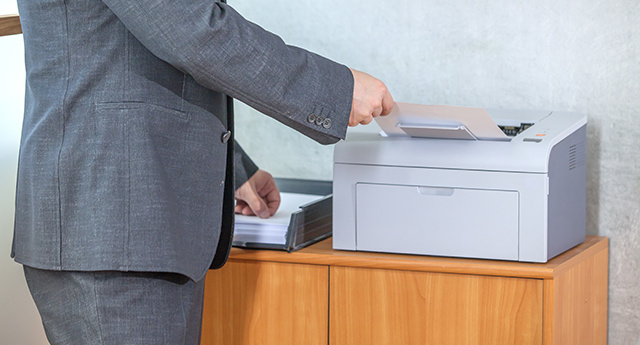
Right at the outset, it should be said that it is worth paying due attention to the proper placement of the printer for other reasons as well. Although many of you may not fully realize it, choosing a suitable location is important not only from a practical standpoint, but also in terms of trouble-free operation and the overall lifespan of the printer. Modern printers and multifunction devices that enable duplex printing, copying, scanning, or faxing represent more structurally complex equipment, so it is no wonder that their greatest enemies are dust, moisture, and frequent temperature fluctuations.
Give the printer a place with good air circulation away from close proximity to a heating unit
Excessive dust can cause increased wear on the printer, but it can also lead to unwanted generation of static electricity, which may cause a number of unpleasant effects.
As a result of frequent and significant temperature fluctuations, condensation may occur again. Moisture on the device components can lead to a short circuit or other damage to the printer, so the advice to place the printer in a location that will help eliminate the aforementioned factors will come as no surprise.Despite the above, however, you do not need to worry. In ordinary households and offices, printers do not have to cope with such extreme conditions, so a place on the desk is entirely sufficient for the printer. On the desk, not only a multifunction printer can be conveniently at hand, but thanks to the desk drawers, office papers, envelopes, and other useful small items as well.
You don't have to stay only at your desk
A major advantage of printers with built-in Wi-Fi is the ability for multiple people to share a single device. For example, with family at home or colleagues in the office. However, one more benefit of these devices comes to the fore. If for some reason you cannot have the printer on your desk, it can be placed almost anywhere. You are not limited by any connection cable, so a multifunction printer with a Wi-Fi module can even be placed on a shelf in the next room. Of course, provided that the shelf does not collapse under its weight.
When looking for a place for the printer, it is necessary to take into account one more factor, and that is the printer's noise level. In a home office, you probably do not need to worry about the printer’s higher noise level, since print jobs are dramatically fewer compared to a business environment, and with quiet mode or other measures, printing noise can be reduced to a minimum. On the contrary, in work teams and at large corporate facilities, the situation regarding noise is incomparably different and cannot go unnoticed.
Printers in offices must not complicate work
Large print volumes in an office with multiple users are undoubtedly a disruptive element. Although by placing the printer in a suitably accessible location somewhere in the office you create approximately the same conditions for all printer users to work with the device, the problem of noise remains. The only solution, then, to prevent mutual interference will be to place the equipment in the hallway or in another room designated for this purpose.
This alternative is, moreover, interesting from another point of view. As many of you surely know, proper storage has a major impact on the quality of toner powder in cartridges or ink in ink cartridges. And it is precisely in a dedicated room with the company printer installed that you can create ideal conditions not only for printing documents, but also for storing toners and cartridges.