









- One sided adhesive tapes
- Packing tapes
- Coloured - marking tapes
- Electrical tapes
- Office tapes, adhesive tapes
- Slick surface tapes
- Metal adhesive tapes
- Masking crepe tape
- Masking special tapes
- Surface protection tapes
- Foam - sealing tapes
- Anti-slip tapes
- Self-adhesive rubber cut-outs
- Special tapes
- Textile tapes
- Warning and reflective tapes
- Double-sided adhesive tapes
- Electrical insulation material
- Glues
- Flexible stoppers, bumpers
- Velcro straps
- Primers - activators - cleaners
- Accessories for adhesives, applicators
What is duplex printing (printing on both sides) and why use it?
We have mentioned duplex printing in passing on the blog several times before, but until now we have not paid any special attention to this feature. However, we believe that the advantages generally offered by duplex printing cannot go unnoticed, so today we will try to remedy that.
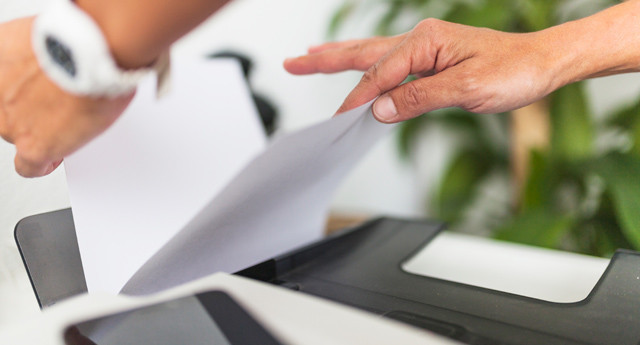
The second is the fact that duplex printing may sound too technical and complicated to a less experienced printer user. Even though it is not an exceptionally complex technology, it may discourage its use. The truth, however, is that the name itself does not make the situation any easier, because it may not be entirely clear to a layperson what it actually means. So it will be simpler if, in addition to duplex printing, you also use the term double-sided printing or printing on both sides.
Duplex printing and its principle
Printing on both sides is of course only possible provided that your printer has the mentioned function. This technology is not standard equipment, therefore not all printers offer duplex printing.However, if you want to print double-sided, you have more than enough options. On the market, you will find devices offering automatic duplex printing or printers equipped with manual double-sided printing. How does it work?
If your printer allows automatic double-sided printing, you have at least one less thing to worry about. On your computer, click File > Print, then select the device you want to use from the Printer list, and in the Settings section choose Double-sided printing. After sending the command, the printer will take care of everything else. During the first phase of printing, the first side is printed as usual, followed by the automatic return of the paper to the tray for printing the second side of the document. In the second case, that is, during manual duplex printing, your direct assistance will be required. After printing the first page of the document, you must manually insert paper into the tray.
What are the advantages of double-sided printing
Duplex printing significantly reduces paper costs, eliminates paper waste, and ultimately saves not only financial resources but also natural resources. Although toner or ink cartridge consumption remains the same when printing on both sides, you can still take certain measures in this regard. For example, combining duplex printing with the use of alternative toners or ink cartridges can bring up to 50% savings on printing costs.
When should you choose a printer with duplex printing?
Investing in a printer with duplex printing technology is mainly worthwhile for frequent and high-volume printing. So if you print rather occasionally and only a small number of documents, consider whether the money you spend on a device with duplex printing will ever pay off for you. In any case, it still applies that you can reduce your printing costs at least with high-quality compatible toners.
How can I find out whether my printer supports double-sided printing?
This question is entirely appropriate if, until now, you may not even have known what duplex printing is and you own an older printer. Basically, you have 2 simple options. If you have kept the documentation related to the printer, just look in the user manual. Theoretically, however, you could also find the printer's specifications on the internet. If this alternative did not help either and you do not know what to do, try searching for the printer properties. Click File > Print, select your device from the Printer list, and click Printer Properties. If the Duplex printing option appears, you're in luck — your device supports printing on both sides.