









- Automotive
- Sanding - Polishing
- One sided adhesive tapes
- Packing tapes
- Coloured - marking tapes
- Electrical tapes
- Office tapes, adhesive tapes
- Slick surface tapes
- Metal adhesive tapes
- Masking crepe tape
- Masking special tapes
- Surface protection tapes
- Foam - sealing tapes
- Anti-slip tapes
- Self-adhesive rubber cut-outs
- Special tapes
- Textile tapes
- Warning and reflective tapes
- Double-sided adhesive tapes
- Electrical insulation material
- Glues
- Materials for the production of technical labels
- Flexible stoppers, bumpers
- Velcro straps
- Primers - activators - cleaners
- Accessories for adhesives, applicators
 Monitors
 Laptops
 Desktop and gaming computers
- Accessories and Add-ons
- Backpacks and laptop bags
- Electronic gadgets
- Ergonomic accessories
- External drives
- Gamepads
- Gaming tables
- Gaming chairs
- Microphones
- Internal drives
- Cables
- Office chairs
- Keyboards
- Mice
- Power supplies
- Memory cards
- Mouse pads
- Projectors and accessories
- Mobile phone accessories
- Speakers
- Keyboard and mouse sets
- Headphones
- USB Flash discs
- Gaming steering wheels
- Scales
- Webcams
Practical tips for reducing toner and ink consumption
In your efforts to reduce printing costs, you no longer have to shake nearly empty toner cartridges or ink cartridges to squeeze out even the very last remnants from them. With our tips, you can save simply and effectively. See how to reduce toner and ink consumption.

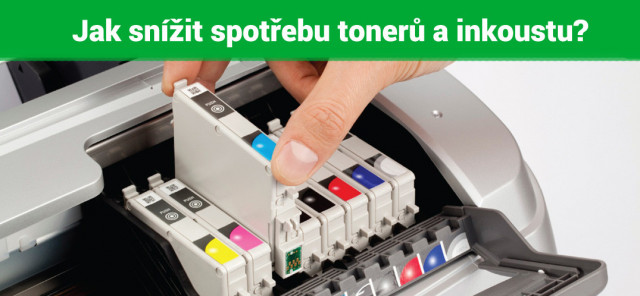
Start by setting the print quality
Normal print mode is generally the most commonly used, as it represents a kind of compromise not only between print speed and quality, but also in terms of the consumption of ink or toner cartridges.
However, if you want to save more significantly, you should start using lower print quality as often as possible within your means.The fastest draft mode may have its limitations in the form of reduced readability of smaller fonts or Excel spreadsheets, but you will use significantly less ink. In addition, working materials can tolerate less demanding printing criteria, so limit the use of normal or highest-quality mode only to printing photographs or text and graphic documents of truly greater importance.
Changing the font can also help reduce toner consumption
You are surely well aware from everyday practice that even a small change can often bring great results. And otherwise, it will not be so even when changing the font. Whether you use ink cartridges or toner cartridges, even such an apparently insignificant detail as changing the font type can reduce your printing costs. Not all typefaces, when kept at the same size, consume the same amount of ink or toner.
In a comparison of the most commonly used typefaces, Garamond and Century Gothic fonts performed best, as they have the smallest area of solid parts of the letters. At a comparable size, these most economical fonts had approximately 3.40% page coverage. The solid parts of the letters of other commonly used fonts covered the pages with a more or less pronounced difference.Verdana, for example, achieved 4.55%, Arial 4.98%, and Tahoma 5.20% page coverage.
To reduce printing costs, you can also make use of the Ecofont project, which inserts white spaces into standard typefaces to save ink while maintaining good readability. You can download Ecofont for free, while the savings can reportedly reach up to 20%.
Help yourself with drivers
If you are looking for suitable drivers that can effectively help regulate the consumption of supplies, you have come to the right place. By installing these drivers, you can significantly reduce ink or toner consumption and achieve savings that surpass the specifications stated by the printer manufacturer.
An example of such a driver is Easy Eco Driver, which features simple controls and allows various text and image edits. In the print file, you can then change the font, remove texts, images, etc. The advantage of the controller is the ability to save frequently used settings as a preset.
For inkjet printers, the InkSaver software is an excellent choice, as it controls the amount of ink used by the printer while optimizing the printer data. This way, the printer consumes a smaller amount of ink, even at the highest resolution. However, you will have to invest in this cost-saving solution at the beginning, because after the 30-day free trial, you must pay for a license.
The original is the original, but…
The economic efficiency of printing is a consideration that, from the perspective of many users, is of primary importance. Of course, you can choose original cartridges, which guarantee high print quality. Unfortunately, their disadvantage is the higher price.Compatible printer cartridges can therefore be the answer to the demand for cheaper printing, and let us add that certainly not at the expense of its quality. The quality of compatible cartridges and toners is usually at a high level, while their price can be several times lower.
Do not hesitate to contact us
We believe that our practical advice will help you reduce your printing costs.
However, if you have any questions regarding toners or ink cartridges, don't hesitate and contact us. We are here for you and will be very happy to advise you.