









Printers
Label makers and label printers
Adhesives
- Automotive
- Sanding - Polishing
- One sided adhesive tapes
- Packing tapes
- Coloured - marking tapes
- Electrical tapes
- Office tapes, adhesive tapes
- Slick surface tapes
- Metal adhesive tapes
- Masking crepe tape
- Masking special tapes
- Surface protection tapes
- Foam - sealing tapes
- Anti-slip tapes
- Self-adhesive rubber cut-outs
- Special tapes
- Textile tapes
- Warning and reflective tapes
- Double-sided adhesive tapes
- Electrical insulation material
- Glues
- Materiály pro výrobu technických štítků
- Flexible stoppers, bumpers
- Velcro straps
- Primers - activators - cleaners
- Accessories for adhesives, applicators
Computers and accessories
 Monitors
 Laptops
 Desktop computers
- Accessories
- Backpacks and laptop bags
- Electronic gadgets
- Ergonomic accessories
- External drives
- Gamepads
- Gaming tables
- Gaming chairs
- Microphones
- Internal drives
- Cables
- Office chairs
- Keyboards
- Mice
- Power supplies
- Memory cards
- Mouse pads
- Projectors and accessories
- Mobile phone accessories
- Speakers
- Keyboard and mouse sets
- Headphones
- USB Flash discs
- Gaming steering wheels
- Scales
- Webcams
back to list
Marvo Mouse G945, 10000DPI, optical, 9 buttons, wired USB, black, gaming, RGB backlighting
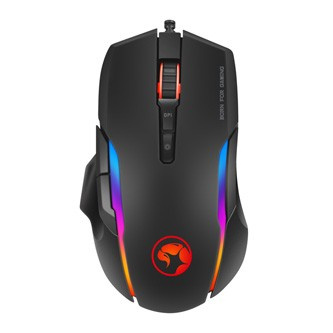
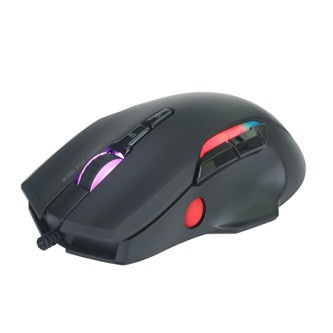
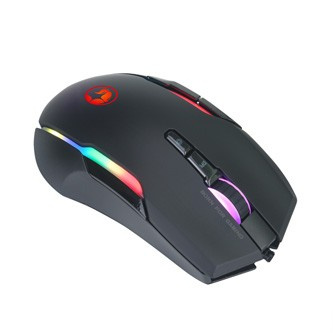
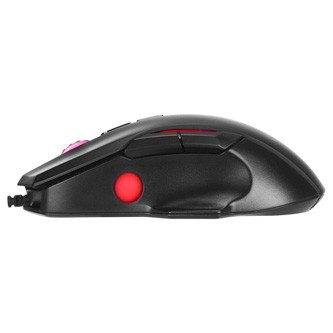
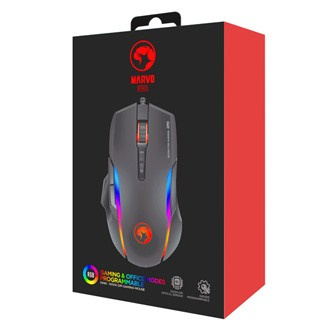
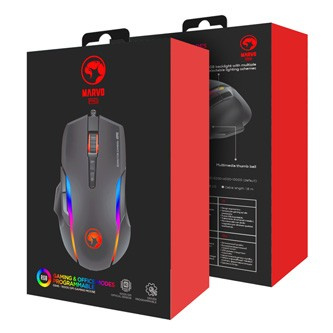
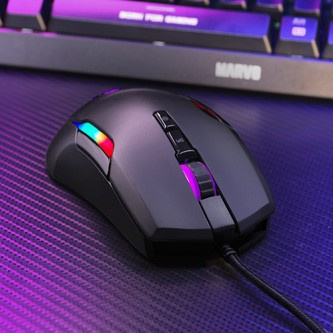
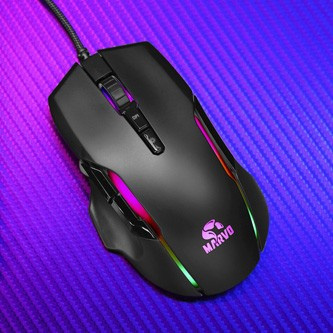
Images are for illustration purposes only.
Parameters
Height:
11.5 cm
Width:
6.5 cm
Depth:
17.5 cm
Product description
Marvo G945 PRO Gaming Mouse
High-profile mouse for palm support, durable switches for the left and right buttons, programmable settings, three discreet special buttons for changing DPI and controlling the backlight. All of this is offered to you by the Marvo G945 PRO mouse.
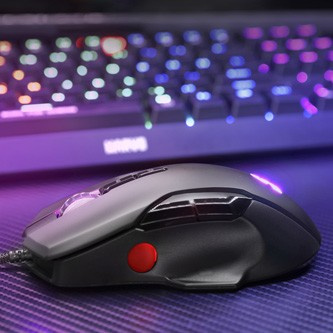
Side wheel
The wheel on the side of the mouse has different functions depending on the mode you currently have enabled, gaming / office (the mode switch button is located on the bottom of the mouse). In gaming mode, the wheel is used in the default setting for very sensitive DPI switching. You can scroll the wheel up or down to increase or decrease the resolution by individual hundreds of DPI. Pressing the wheel activates the "fire" function, also known as double-click. In office mode, the side wheel behaves the same as a traditional scroll wheel. The function of the wheel can be adjusted arbitrarily through software.
Price/performance ratio
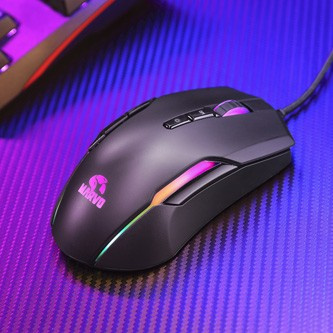
For a favorable price, you get a mouse that meets a certain unofficial standard that today's gaming mice can no longer do without. It features 9 programmable buttons. You can set the DPI in the range of 1000-1600-2400-5000-3200-10000 (default). Another feature that enhances the design is the colorful RGB backlighting, which brings the right atmosphere to night gaming sessions.
Advanced configuration
For advanced mouse configuration, you can download and install a specialized driver from www.marvogaming.eu.
For a favorable price, you get a mouse that meets a certain unofficial standard that today's gaming mice can no longer do without. It features 9 programmable buttons. You can set the DPI in the range of 1000-1600-2400-5000-3200-10000 (default). Another feature that enhances the design is the colorful RGB backlighting, which brings the right atmosphere to night gaming sessions.
Advanced configuration
For advanced mouse configuration, you can download and install a specialized driver from www.marvogaming.eu.
When it falls into your hands...
The ergonomic shape with a high profile allows you to use almost any mouse grip style. Ensures comfort during long gaming battles as well as during full-fledged work engagement.
Using the buttons
By pressing the DPI button below the scroll wheel, you can change the sensitivity according to the predefined DPI steps.
By pressing the mode button under the mouse, you can switch between game/office mode.By pressing the DPI button below the scroll wheel, you can change the sensitivity according to the predefined DPI steps.
Technical specifications
Sensor: optical Pixart 3325DB + BY8948
Sensor: optical Pixart 3325DB + BY8948
DPI: 1000-1600-2400-5000-3200-10000 (default)
Number of buttons: 9 (programmable)
Button lifespan: 20 million
clickBacklighting: RGB
Polling rate: up to 1000 Hz
Connection: USB 2.0
Cable length: 1.8 m
Dimensions: 127 x 76 x 40 mm
Weight: 105g
Acceleration: 20g
Score magazine test:
Comparative mouse test