









- One sided adhesive tapes
- Packing tapes
- Coloured - marking tapes
- Electrical tapes
- Office tapes, adhesive tapes
- Slick surface tapes
- Metal adhesive tapes
- Masking crepe tape
- Masking special tapes
- Surface protection tapes
- Foam - sealing tapes
- Anti-slip tapes
- Self-adhesive rubber cut-outs
- Special tapes
- Textile tapes
- Warning and reflective tapes
- Double-sided adhesive tapes
- Electrical insulation material
- Glues
- Flexible stoppers, bumpers
- Velcro straps
- Primers - activators - cleaners
- Accessories for adhesives, applicators
Ink replacement – what should you watch out for?
Replacing ink is no science. Nevertheless, when replacing an ink cartridge, you should follow a few practical guidelines that will help you avoid unnecessary inconvenience or even the printer becoming inoperative.
Take action as soon as the approaching end of the cartridge is indicated
If the ink indicator has started flashing, you can’t claim you were unaware of the low ink level in the cartridge. On some printer models, low ink may also be indicated by the error indicator. When the ink level is low, you can still use the ink cartridge for some time, but you should not wait until the cartridge is completely empty.
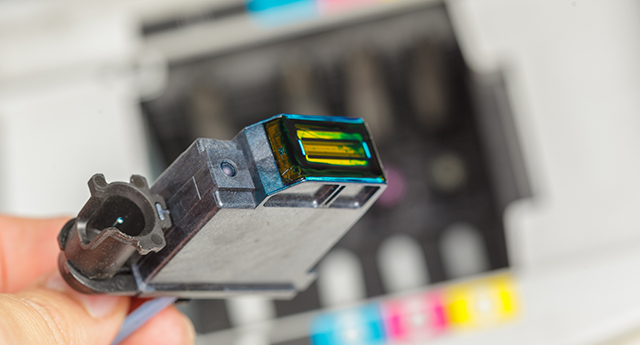
There are a number of sound arguments for this recommendation, and it applies especially to Canon and HP printers with separate ink cartridges. This is because HP or Canon devices have the print head built into the printer, so if you continue printing with a cartridge that has run out of ink, the print head can easily burn out, respectively. damage to the heating elements (resistors). Replacing the print head is not exactly the cheapest option, and in some cases it can cost you as much as a new printer.
So what follows from that? Only make sure that when an ink cartridge is nearing the end, you do not postpone purchasing a replacement indefinitely and order a suitable ink cartridge as soon as the printer indicates it. The ink replacement will thus proceed smoothly and without complications. In this connection, however, we would still like to draw your attention to one important principle. Do not remove an ink cartridge that is running out from the printer until you have a replacement available. This will prevent the printing system from drying out. You can also prevent clogging of the nozzles in the print head by printing a test page.
TIP: Do you know how to choose the right refill?
It is also necessary to mention the use of unsuitable refills
Replacing ink is associated with the question of which refill to choose. Ink cartridges with suspiciously low prices may raise legitimate concerns about quality and may not have an optimal ink composition. The print head with microscopic nozzles may therefore, among other things, have a problem with the ink density when using dubious alternative cartridges. The result may be not only blurry and poor-quality printing, but ultimately also a damaged print head.
Using original cartridges seems to be the safest way to prevent possible damage to the printer, but with high-quality compatible cartridges, there is also no need to worry about print quality or the printer itself. Compatible cartridges from renowned manufacturers are equal to original cartridges in every respect, but there is one difference.
TIP: Printer warranty claim – is it affected by the use of non-original toner?
Replacing ink requires following several guidelines
Always install the ink cartridge into the printer while the printer is turned on, and strictly follow the procedure specified by the device manufacturer. If for some reason you do not have the user manual available, try to find it on the manufacturer's website.
However, replacing the ink will require following additional rules that will contribute to the trouble-free operation of the printer. One of them is acclimatizing the filling. This is of course relevant during the winter season, so don't forget about it. The ink cartridge is equipped with a chip and contains liquid ink; therefore, by allowing the cartridge to acclimate to room temperature, you will prevent condensation from forming and possible damage to the cartridge or printer.
Handling the cassette is also important. The ink cartridge is usually vacuum-packed to preserve reliability. Therefore, open the ink cartridge packaging only immediately before installing it in the printer. This will prevent contamination or damage to nozzles and other components.
If you like to keep things under control and buy ink cartridges in advance, we recommend reading the article, how to store toners and cartridges so that they last as long as possible?