









- Automotive
- Sanding - Polishing
- One sided adhesive tapes
- Packing tapes
- Coloured - marking tapes
- Electrical tapes
- Office tapes, adhesive tapes
- Slick surface tapes
- Metal adhesive tapes
- Masking crepe tape
- Masking special tapes
- Surface protection tapes
- Foam - sealing tapes
- Anti-slip tapes
- Self-adhesive rubber cut-outs
- Special tapes
- Textile tapes
- Warning and reflective tapes
- Double-sided adhesive tapes
- Electrical insulation material
- Glues
- Materials for the production of technical labels
- Flexible stoppers, bumpers
- Velcro straps
- Primers - activators - cleaners
- Accessories for adhesives, applicators
 Monitors
 Laptops
 Desktop and gaming computers
- Accessories and Add-ons
- Backpacks and laptop bags
- Electronic gadgets
- Ergonomic accessories
- External drives
- Gamepads
- Gaming tables
- Gaming chairs
- Microphones
- Internal drives
- Cables
- Office chairs
- Keyboards
- Mice
- Power supplies
- Memory cards
- Mouse pads
- Projectors and accessories
- Mobile phone accessories
- Speakers
- Keyboard and mouse sets
- Headphones
- USB Flash discs
- Gaming steering wheels
- Scales
- Webcams
How to prepare a poster and then print it?
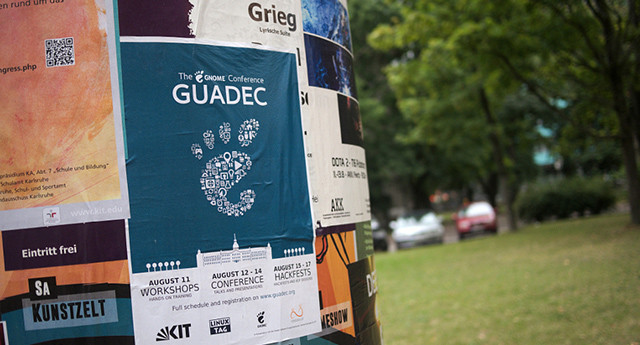
Robust billboards, citylights, advertising tarpaulins, and various moving banners have now pushed posters out of our streets, but even so, I think you don’t need to worry about their future. An advertising promotional flyer or poster used to announce the organization of a sports, private, or cultural-social event is something each of us needs from time to time. The good news is that with a bit of skill, we can make a pretty decent poster ourselves.
A few facts to start with
Before you begin the actual creation of the poster, it would be advisable to first define what quality of poster you expect and for what event you will be preparing it.
If you want to report on a football match between volunteer and professional firefighters, it is possible to turn a blind eye to the print quality, but it is a different matter when it comes to important social events or representative corporate functions. We definitely do not recommend taking risks there, so the best thing to do is not to think about how to make a poster, but to contact a professional graphic designer or designer right away.Before creating a poster, it is also good to consider what reaction you want to evoke, or more precisely, to what extent you want this poster to attract attention. Are you planning to attract only a larger number of potential clients or customers, or do you want to literally shock your target audience? The poster design may ultimately depend on all of these answers.
Less is sometimes more
A poster must attract attention, but also provide all the essential information. Therefore, each poster also includes a text section. However, do not try to incorporate too much information into the poster at all costs.Remember that people filter information, so they will not be willing to devote time or attention to a poster with more detailed text. So be imaginative when providing information about the planned event or product, and above all be concise.
Focus more on the poster's graphics and the attractiveness of the font.
The typeface used should be unconventional and also somewhat easy to read. That concludes the basic recommendations. In the following lines, we will look at which online tools can be used to create posters or flyers.TIP: Did a font catch your eye while browsing the internet? These 3 tools will help you identify the font type.
Anyone can do it with these tools
A well-designed poster with everything it should have, and moreover created by an amateur without any experience, would have been pure utopia some time ago. Today, however, the situation is completely different, because you have several handy online tools available.
You can therefore be satisfied with the free tool Canva.com, which will help you customize existing templates from professional designers in just a few minutes. The online tool designcap will provide you with services of the same quality.com. This program is also characterized by simple controls that do not cause problems even for complete beginners.
In both cases, you will be able to choose a pre-designed graphic template for your poster from professional designers, which you can further customize to your liking in the online tool environment.
When "creating" your own poster, you can of course also work with your own photographs, but keep in mind that high-quality images are the basis of success.
If you do not have photographs of the required quality, it is better to use a stock photo service. There are, of course, various options, but among them we can mention, for example, Unsplash.com, where you will find hundreds of high-quality photographs. These photos are free and downloading them is legal.Text formatting, adding clipart, or refining the background are part of the tools, but we do not want to go into detail, because it will be best if you become familiar with them directly while creating the poster.
If we were to summarize it, it is more or less clear that both tools are characterized by ease of use, a wide range of pre-made professional templates, and graphic elements. These tools therefore represent, without any compromises, the most acceptable alternative for making a poster.
I’m done, how do I print the poster?
If you created a poster design yourself and are also satisfied with it, congratulations on the result. But that was only part of the job; now you will also need to print it. In principle, you have two options for printing a poster. If standard quality and the classic A4 size are sufficient for you, you can print the posters yourself on a home inkjet printer or on a more powerful office device.
Among the standard and frequently used poster sizes are A3 (297 x 420 mm), SRA3 (320 x 450 mm), A2 (420 x 594 mm), SRA2 (450 x 640 mm), and B2 (485 x 685 mm). If you need any of these formats, or if professional poster printing is simply required, you must contact a studio or rather a printing company that has equipment for large-format printing.
An alternative for producing a larger poster at home might be to split the poster and print it on several sheets. Such a solution, however, would not be any aesthetic improvement and is rather only a hypothetical possibility, which we definitely do not recommend to you.