









- Automotive
- Sanding - Polishing
- One sided adhesive tapes
- Packing tapes
- Coloured - marking tapes
- Electrical tapes
- Office tapes, adhesive tapes
- Slick surface tapes
- Metal adhesive tapes
- Masking crepe tape
- Masking special tapes
- Surface protection tapes
- Foam - sealing tapes
- Anti-slip tapes
- Self-adhesive rubber cut-outs
- Special tapes
- Textile tapes
- Warning and reflective tapes
- Double-sided adhesive tapes
- Electrical insulation material
- Glues
- Materials for the production of technical labels
- Flexible stoppers, bumpers
- Velcro straps
- Primers - activators - cleaners
- Accessories for adhesives, applicators
 Monitors
 Laptops
 Desktop and gaming computers
- Accessories and Add-ons
- Backpacks and laptop bags
- Electronic gadgets
- Ergonomic accessories
- External drives
- Gamepads
- Gaming tables
- Gaming chairs
- Microphones
- Internal drives
- Cables
- Office chairs
- Keyboards
- Mice
- Power supplies
- Memory cards
- Mouse pads
- Projectors and accessories
- Mobile phone accessories
- Speakers
- Keyboard and mouse sets
- Headphones
- USB Flash discs
- Gaming steering wheels
- Scales
- Webcams
How to clean a laser and inkjet printer
It would be a big mistake to think that printer maintenance consists only of replacing the cartridge and refilling the empty tray with missing paper. To ensure your printer serves you reliably, regular cleaning of both the external and internal parts of the printer will be necessary. In the following lines, we have prepared several useful tips for you that will tell you how to clean a printer.

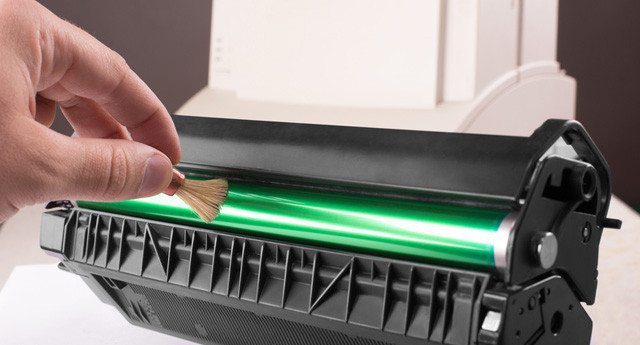
It is advisable to clean the printer even when there are no printing problems and the printer is not yet producing unsightly document pages with various stains. Cleaning the inside of the printer should be a matter of course when replacing the toner cartridge or drum unit. This is all the more true because cleaning a printer is not that complicated and anyone can do it. Before we look at the specific cleaning of a laser or inkjet printer, we will provide several recommendations that you should generally follow.
Do not underestimate the recommendations
Use a dry, lint-free cloth to clean the external and internal parts of the printer. For the internal parts, however, you can also use a soft brush to clean the printer. If you need to use a damp cloth to clean the surface of the printer, use water and a small amount of neutral detergent.
Definitely avoid using liquid or spray products containing flammable substances or thinner or gasoline. These aggressive cleaning agents usually damage the printer's surface or the functionality of the entire device.
When cleaning a laser or inkjet printer, also never attempt to remove covers or any protective elements that are screwed on by the printer manufacturer. There are no printer parts behind these covers that you could maintain or clean. In addition, as a result of this improper handling of the printer, the warranty may be voided.
How to clean a laser printer
When cleaning the external, but especially the internal parts of a laser printer, disconnect the device from the power supply. Clean the exterior parts with a slightly damp cloth, taking care that no water gets into the printer.
Before cleaning the interior spaces, you must wait a few minutes for the appliance to cool down. You can then pull out the paper tray and the toner cartridge. To prevent damage to the cartridge, do not expose it to light for extended periods. It will be enough if you place it on a clean sheet of paper and cover it with another clean sheet. When handling the toner cartridge, do not touch its bottom part; always try to hold it by the handle.
Using a brush or cloth, wipe away dust and any remnants of stuck toner from the paper tray and all accessible internal areas of the printer.After cleaning the compartments, you can place the toner cartridge and the reservoir back in their place.
If the print quality is poor, you can clean, for example, the LED heads, corona wires, or the paper feed roller in laser printers.
For this cleaning, however, it will be advisable to consult the manual with the specific procedure for your printer type.And how do you clean an inkjet printer?
Maintaining an inkjet printer is simple.After disconnecting the device from the power supply and allowing it to cool down, you can begin cleaning the printer. Open the printer's main cover and carefully vacuum up all dust and debris. You can also clean these areas with a soft cotton cloth that does not leave fibers behind. You can also use a slightly damp cloth to clean the printer tray and all external parts of the device, including the paper feeder.
Support printer cleaning by cleaning the print head
For inkjet printers, care of the print head is important for the printer's lifespan and print quality. We mentioned printhead cleaning in one of our recent posts. If you are interested in this topic, read the article “What Is a Print Head”. You will learn not only about the most common problems with print heads, but also how you can solve them.