









- Automotive
- Sanding - Polishing
- One sided adhesive tapes
- Packing tapes
- Coloured - marking tapes
- Electrical tapes
- Office tapes, adhesive tapes
- Slick surface tapes
- Metal adhesive tapes
- Masking crepe tape
- Masking special tapes
- Surface protection tapes
- Foam - sealing tapes
- Anti-slip tapes
- Self-adhesive rubber cut-outs
- Special tapes
- Textile tapes
- Warning and reflective tapes
- Double-sided adhesive tapes
- Electrical insulation material
- Glues
- Materials for the production of technical labels
- Flexible stoppers, bumpers
- Velcro straps
- Primers - activators - cleaners
- Accessories for adhesives, applicators
 Monitors
 Laptops
 Desktop and gaming computers
- Accessories and Add-ons
- Backpacks and laptop bags
- Electronic gadgets
- Ergonomic accessories
- External drives
- Gamepads
- Gaming tables
- Gaming chairs
- Microphones
- Internal drives
- Cables
- Office chairs
- Keyboards
- Mice
- Power supplies
- Memory cards
- Mouse pads
- Projectors and accessories
- Mobile phone accessories
- Speakers
- Keyboard and mouse sets
- Headphones
- USB Flash discs
- Gaming steering wheels
- Scales
- Webcams
How to best choose a printer for home and office?
Just like computers, printers are increasingly becoming an indispensable part of household technological equipment. Whether it is printing photographs, favorite recipes, work documents, or children’s homework, their usefulness grows every day. If you are also considering buying a printer for your home or office, we will advise you on how to choose the right one.
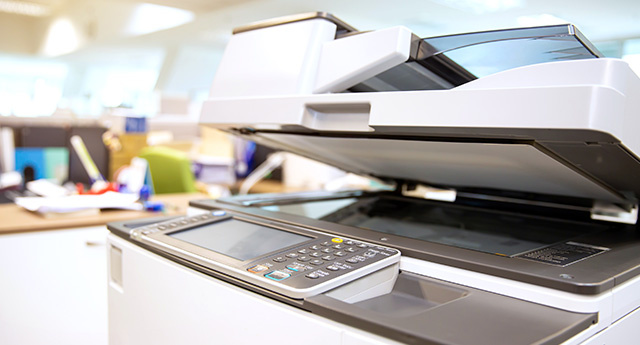
Find out what you will use the printer for most often
Although the basic printer technology has not changed significantly over the past few years, manufacturers are constantly introducing updated devices with new features added. In reality, however, there are still only two types of printers - laser and inkjet. Given the wide range of options, however, it can be difficult to choose a printer that fully meets your needs and budget. So that you do not regret your choice later, you should consider the following facts before making a purchase.
Printers are categorized, priced, and functionally optimized for various purposes. While some print high-quality photos, others are more suitable for printing documents or offer various multifunction features. Even home printers are designed differently from office printers, where the print volume is much higher. To make your decision easier, you should be clear about what purpose you need the printer for.
Take a look at the advantages that printers offer
There are several ways to send data to the printer for printing, most of which use a standard connection via a USB cable from a computer.
However, if you usually print larger volumes, for example lots of photos, then you should consider printers into which you can directly insert memory cards from a camera or smartphone.Some printers are also equipped with a small display that allows you to view or possibly edit a preview of the photograph before printing itself. Other printers can be connected to Wi‑Fi. This means that if you connect the printer to your home Wi‑Fi, you can print from any computer that is connected to the internet.
Also consider replacing toner or ink
Home printers used for printing small volumes are usually not very expensive, as they are a one-time purchase.
However, additional expenses include the cost of original or compatible ink cartridges or toners for inkjet or laser printers. Therefore, before purchasing, do not forget to check the price and yield (the number of pages printed per cartridge) of cartridges and toner, as these costs will recur. Expensive ink cartridges that need to be replaced frequently can ultimately cost much more than a new printer.Inkjet versus laser printer
Although both types of printers have their advantages and disadvantages, it all depends on your needs and budget.
Inkjet printer
- It offers richer colors and is also cheaper. So if you mainly want to print photographs, an inkjet printer will be the best choice.
- However, you must take into account that an inkjet printer is usually slower than a laser printer.
- In addition, it may experience calibration issues, nozzle clogging, or ink leakage from the cartridges.
- Another disadvantage is the fact that cartridges have a limited lifespan because the ink dries out, even when they are not being used.
Laser printer
- It excels in speed and low costs per page.
- If you are looking for a printer for printing large volumes of documents, a monochrome laser printer will be a suitable choice.
- In addition, laser printers usually do not look as good as inkjet printers, are larger, heavier, consume more energy, and are also more expensive.
- They are capable of printing large quantities of documents in a short time without the need for frequent cartridge replacement.
- Toner for a laser printer, as well as the laser printer itself, costs more than an inkjet printer, but if you print many documents in the office, they are a more affordable and efficient choice in the long run. In addition, these costs can be reduced even further if you opt for compatible toners.
Multifunction devices increase printer usability
For home use, we also recommend an inkjet multifunction printer, because you can use it for scanning or copying as well, which is very convenient. If you need a printer for a small office, you will certainly appreciate a laser device offering several multifunction features, characterized by low operating costs while also providing maximum usability.