
- Automotive
- Sanding - Polishing
- One sided adhesive tapes
- Packing tapes
- Coloured - marking tapes
- Electrical tapes
- Office tapes, adhesive tapes
- Slick surface tapes
- Metal adhesive tapes
- Masking crepe tape
- Masking special tapes
- Surface protection tapes
- Foam - sealing tapes
- Anti-slip tapes
- Self-adhesive rubber cut-outs
- Special tapes
- Textile tapes
- Warning and reflective tapes
- Double-sided adhesive tapes
- Electrical insulation material
- Glues
- Materials for the production of technical labels
- Flexible stoppers, bumpers
- Velcro straps
- Primers - activators - cleaners
- Accessories for adhesives, applicators
 Monitors
 Laptops
 Desktop and gaming computers
- Accessories and Add-ons
- Backpacks and laptop bags
- Electronic gadgets
- Ergonomic accessories
- External drives
- Gamepads
- Gaming chairs
- Microphones
- Internal drives
- Cables
- Office chairs
- Keyboards
- Mice
- Power supplies
- Memory cards
- Mouse pads
- Projectors and accessories
- Mobile phone accessories
- Speakers
- Keyboard and mouse sets
- Headphones
- USB Flash discs
- Gaming steering wheels
- Scales
- Webcams
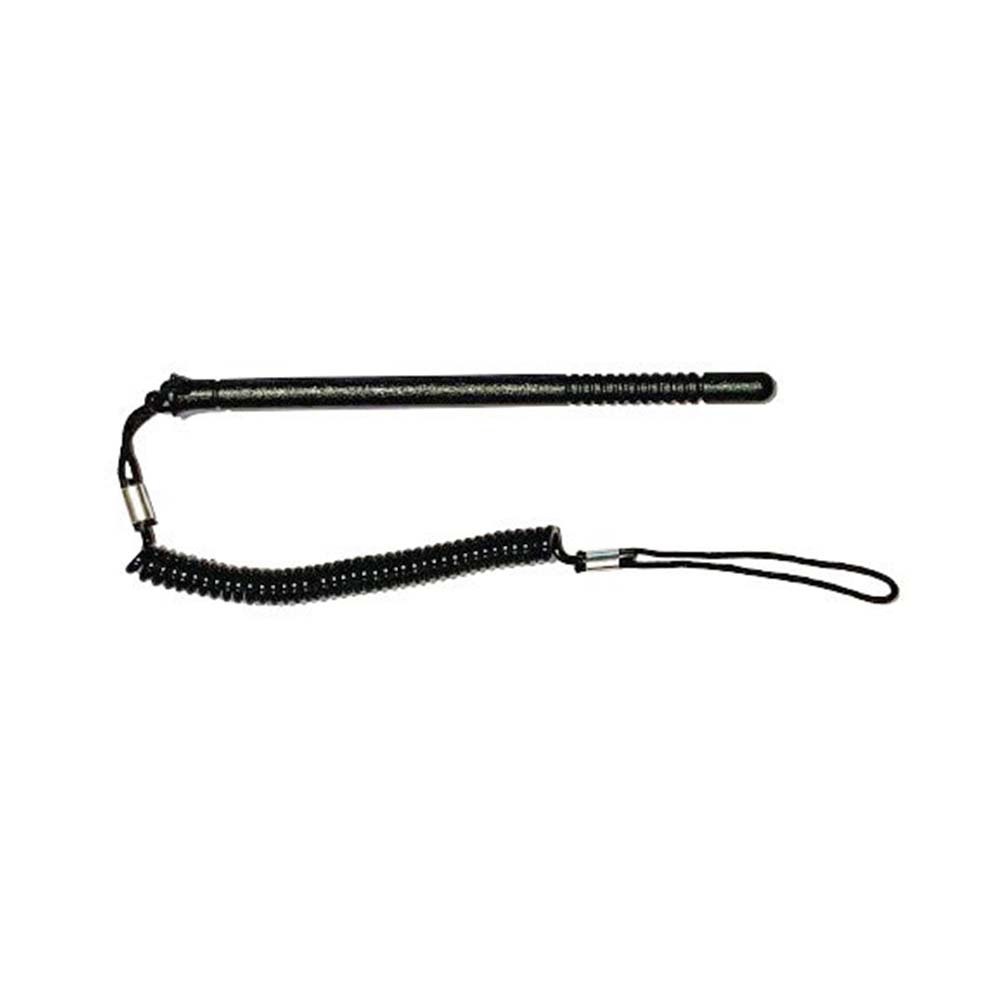
Honeywell CN80-STY-5SH stylus, pack of 5
Parameters
Product description
Do you work with data terminals in an environment where every second and every movement matter? In that case, you know that reliability is not just a word, but a necessity. The Honeywell CN80-STY-5SH stylus is designed to let you operate touchscreens with maximum precision and comfort, without having to sacrifice speed. This original accessory from Honeywell ensures that your device operates flawlessly, even in demanding conditions such as warehouses, logistics centers, or production halls. Instead of relying on fingers, which may be contaminated with oils, dust, or other impurities, you get a tool that protects your display while also providing more sensitive touch response.
The key advantage of this package is practicality and cost-effectiveness. You get five replacement styli right away, which means you always have a backup on hand for your entire work crew or for a longer period without the need for frequent reordering. Each stylus is equipped with an integrated tether that effectively prevents it from being lost or dropped on the ground. This feature is invaluable in a dynamic work environment, because you can be sure that your stylus will always remain attached to the terminal and ready for immediate use. So you don't have to worry that if it accidentally slips out of your hand, it will fall and you'll lose valuable time looking for a replacement piece.
The ergonomic design and precise stylus tip ensure smooth and responsive touch on the display. This reduces finger fatigue and increases productivity when entering data, scanning barcodes, or navigating software applications. Using a stylus instead of fingers also protects the touch surface from fingerprints, oils, and dirt, which extends the display’s lifespan and maintains its high readability. By choosing this original accessory, you are investing in the reliability and longevity of your data terminal. A quality stylus is not just an accessory, but an important part of the workflow that contributes to the overall smooth flow of information and reduces errors when operating the device.
- Package includes: 5 replacement styli
- Compatibility: Honeywell CN80 scan handle snap-on, CK65
- Equipped with a practical tether cord: Effectively prevents the tool from being lost or dropped on the ground
- Precise control: Ensures accurate and responsive touchscreen operation
- Screen protection: Protects the screen from fingerprints and dirt
- Comfort optimization: Optimizes working comfort and productivity