









- Automotive
- Sanding - Polishing
- One sided adhesive tapes
- Packing tapes
- Coloured - marking tapes
- Electrical tapes
- Office tapes, adhesive tapes
- Slick surface tapes
- Metal adhesive tapes
- Masking crepe tape
- Masking special tapes
- Surface protection tapes
- Foam - sealing tapes
- Anti-slip tapes
- Self-adhesive rubber cut-outs
- Special tapes
- Textile tapes
- Warning and reflective tapes
- Double-sided adhesive tapes
- Electrical insulation material
- Glues
- Materials for the production of technical labels
- Flexible stoppers, bumpers
- Velcro straps
- Primers - activators - cleaners
- Accessories for adhesives, applicators
 Monitors
 Laptops
 Desktop and gaming computers
- Accessories and Add-ons
- Backpacks and laptop bags
- Electronic gadgets
- Ergonomic accessories
- External drives
- Gamepads
- Gaming tables
- Gaming chairs
- Microphones
- Internal drives
- Cables
- Office chairs
- Keyboards
- Mice
- Power supplies
- Memory cards
- Mouse pads
- Projectors and accessories
- Mobile phone accessories
- Speakers
- Keyboard and mouse sets
- Headphones
- USB Flash discs
- Gaming steering wheels
- Scales
- Webcams
Guide on how to choose photo paper for a printer
It often happens that when photographs are poorly printed, we attribute the fault to the printers themselves. But even the most expensive inkjet printer from HP, Canon, or Epson will not produce a high-quality photograph without premium photo paper. So let's take a look together at some of the parameters that will help you choose photo paper for your printer.
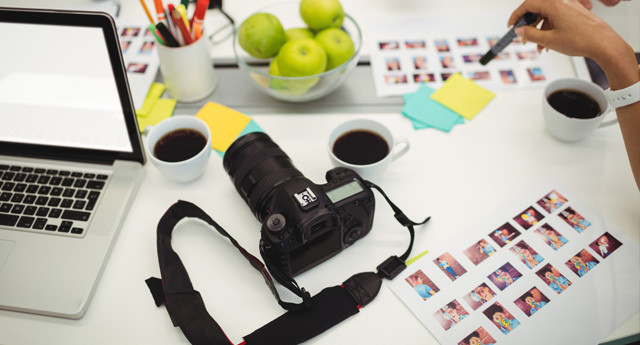
In home settings, professional minilabs, and also in some copy centers, inkjet printing technology is usually used for photo production. Photo paper is then intended for inkjet photo printers, featuring certain specific properties. Compared to ordinary paper, it is equipped with a special emulsion, or if you prefer, a surface layer that absorbs ink. Thanks to this layer, the printed photograph is of high quality and sharp, the colors do not bleed, and there is no desaturation of the colors either, i.e. they do not fade.
Paper format
Home inkjet printers allow high-quality photo printing with a maximum A4 format, which is photo paper measuring 21 x 29.7 cm. Besides this popular format, you can also choose photo paper in the 10.2 x 15.2 cm or 12.7 x 17.8 cm formats, which are among the most commonly selected photo paper sizes. Professional photo labs use photo paper in the larger A3+ format (32.9 x 48.3 cm), and large-format printers can work with photo paper in rolls that may range in width from 12.7 cm up to 152.4 cm.
Higher photo paper weight helps improve photo quality
High-quality photo printing requires heavier paper, because in general, the higher the weight of the photo paper, the better the photograph. Heavier-weight photo paper is not only sturdier, but it also does not curl.High-quality photo paper has a weight of 200–350 g/m2. Papers with lower grammage have a slightly lower-quality ink-absorbing layer. However, this does not mean that such photo papers are of poor quality.Lower-weight papers are used primarily for printing business cards, graphic documents, and presentation and advertising materials.
However, in connection with the weight of photo paper, it is necessary to emphasize one more fact. Before purchasing paper, find out the maximum photo paper weight your printer can handle. Home inkjet printers usually can handle paper weights up to 270 gsm, respectively. 300 g/m2. Higher values may cause technical problems with the paper feeder.
How to choose photo paper - glossy or matte?
In addition to the paper format and its grammage, you can choose from photo papers with different finishes, textures, and material backing for photo printing. In practice, this may look like printing your selfies or photos from family vacations or birthday celebrations on paper with a smooth texture and a glossy finish, which may be the same as that of traditional photographs. Such photographs are very attractive, but care must be taken with fingerprints, which may remain on the surface when the photos are viewed more frequently.
But you can also opt for photo papers with a matte finish. Photographs printed on photo paper with a matte finish, without surface gloss, will have better contrast and richer, more vivid colors compared to photos printed on glossy papers. Photographs printed on matte paper also withstand direct sunlight well. Printing on matte photo paper is, for example, an excellent choice for photographs that you want to place in a frame and cover with glass. You can achieve a similar luxurious effect when printing photographs on photo paper with a finely grained satin surface.
Ask us, we will be happy to help you
If, even after reading the article, it is still not clear to you how to choose photo paper for your printer, or if you do not know which specific type of photo paper to prefer, feel free to contact us. We will be happy to advise you on which photo paper will be most suitable for your printer.