









- One sided adhesive tapes
- Packing tapes
- Coloured - marking tapes
- Electrical tapes
- Office tapes, adhesive tapes
- Slick surface tapes
- Metal adhesive tapes
- Masking crepe tape
- Masking special tapes
- Surface protection tapes
- Foam - sealing tapes
- Anti-slip tapes
- Self-adhesive rubber cut-outs
- Special tapes
- Textile tapes
- Warning and reflective tapes
- Double-sided adhesive tapes
- Electrical insulation material
- Glues
- Flexible stoppers, bumpers
- Velcro straps
- Primers - activators - cleaners
- Accessories for adhesives, applicators
Choosing the right label printer
Label printers represent specialized devices that you may not use at home, but in offices, companies, and industrial sectors they are indispensable. Of course, provided that you choose a label printer whose parameters are capable of fulfilling work tasks 100%.
Extremes are not good
In companies, similarly to offices, when choosing a label printer, we quite often encounter two extremes.
In the first case, it is an excessive effort to save financial resources at any cost. However, for a well-established company that trades in goods and has thousands of items in its assortment or processes dozens to hundreds of orders daily, which must be delivered as quickly as possible to an impatient customer, a slow printer for address labels, barcodes, or paper labels with other important information is almost useless. Trying to save money in such cases is counterproductive and ultimately results in a financial loss for the company.Nor does an unnecessarily powerful paper label printer necessarily have to be a better investment, as it will hardly find use in the intimate environment of a tiny company or office with a staff of 3 or 4 employees. Therefore, when buying the right paper label printer, the best choice will be the golden mean, but it is also worth bearing in mind the well-known saying: "we are not rich enough to buy cheap things".
Everyone can find what suits them in the wide range on offer
Choosing the right label printer is in many ways similar to choosing a label maker or printer, which we have already covered in our previous posts.
Although it was a manual labeler and a conventional printer, the basic advice and recommendations we mentioned for these devices have lost none of their relevance, can be generalized, and can also be applied to choosing the optimal label printer.Taking into account the frequency and volume of printing, comparing the functions of a label printer, resolution, or device connectivity can therefore also be decisive when choosing a label printer.There are dozens of various label printers of all possible brands on the market. We can mention PARTEX, SEIKO, BRADY, CASIO, TSC, or HONEYWELL. However, BROTHER, DYMO, and ZEBRA label printers also boast excellent specifications. What criteria should it therefore meet and what features should a printer for a smaller company or a small workgroup offer, and what should a paper label printer intended for industrial sectors be capable of? We will demonstrate the capabilities of label printers using specific models from the last three mentioned brands.
Brother and Dymo printers made for small businesses
Printers and other office equipment for businesses are generally built to handle heavier workloads than devices intended for occasional home use.
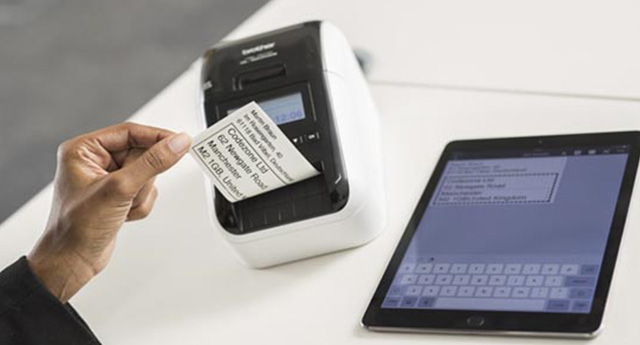
This is no different for label printers. Their equipment and parameters must be sufficient for higher print volumes, which of course cannot be comparable to the volumes required in industrial sectors. No one even expects this from label printers intended for small businesses; their ambitions lie somewhere else entirely.In offices and small businesses, the reliable label printer Brother QL-800 QL800YJ1 can handle its tasks perfectly, allowing black or red printing without the use of ink. The printer can print high-quality, clearly legible paper labels of various types in sizes from 12 to 62 mm. However, if necessary, you can have a label up to one meter long available from the continuous roll. The printer communicates with PC, Mac, Android, iPhone, and iPad systems. The P-touch Editor software for creating labels and the automatic label cutter will also delight you.
A similar, though slightly more expensive, alternative is the Dymo LabelWriter 450 S0838780 label printer.
In this case as well, you can rely on fast, high-quality printing of address or shipping labels, or labels for binders. The problem is not barcodes, name tags, or other labels either.The printer is characterized by uncomplicated handling, which will not cause trouble even for less experienced users.Zebra label printers represent top quality for industry
Several models perfectly meet the requirements of the industrial segment, but we were particularly impressed by the elegant Zebra DT label printer ZD620, which is among the fastest printing devices in its class. However, that is not all. The practical, simple 10-button user interface deserves attention, and the printer's compatibility with the ability to manage the label printer directly from the cloud will not disappoint either.
The label printer enables creative and cost-effective printing in industry, but it also finds application wherever the volume of printed materials reaches high numbers.