









- Automotive
- Sanding - Polishing
- One sided adhesive tapes
- Packing tapes
- Coloured - marking tapes
- Electrical tapes
- Office tapes, adhesive tapes
- Slick surface tapes
- Metal adhesive tapes
- Masking crepe tape
- Masking special tapes
- Surface protection tapes
- Foam - sealing tapes
- Anti-slip tapes
- Self-adhesive rubber cut-outs
- Special tapes
- Textile tapes
- Warning and reflective tapes
- Double-sided adhesive tapes
- Electrical insulation material
- Glues
- Materiály pro výrobu technických štítků
- Flexible stoppers, bumpers
- Velcro straps
- Primers - activators - cleaners
- Accessories for adhesives, applicators
 Monitors
 Laptops
 Desktop computers
- Accessories
- Backpacks and laptop bags
- Electronic gadgets
- Ergonomic accessories
- External drives
- Gamepads
- Gaming tables
- Gaming chairs
- Microphones
- Internal drives
- Cables
- Office chairs
- Keyboards
- Mice
- Power supplies
- Memory cards
- Mouse pads
- Markers
- Projectors and accessories
- Mobile phone accessories
- Speakers
- Keyboard and mouse sets
- Headphones
- USB Flash discs
- Gaming steering wheels
- Scales
- Webcams
Canon PG-545 and CL-546 - how to easily replace the ink cartridge
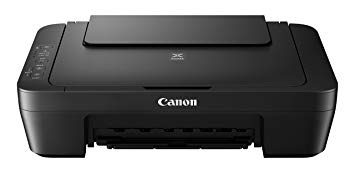
The Canon PG-545 and CL-546 cartridges are used in all of these printers. If you have one of them at home, this guide is just for you.
If a warning appears that ink is running low or an error occurs, the ink lamp and the Alarm lamp will flash to indicate the error. In such a case, it is not possible to print or scan on the printer. Count the number of flashes and, according to the printer manual, determine what problem it is.
If you have run out of ink, nothing could be easier than buying a new one from us and starting the replacement according to this easy guide.
Make sure that the printer is turned on.
Fully insert the paper holder into the printer.
Open the front cover and wait until the print head moves to the center of the printer.
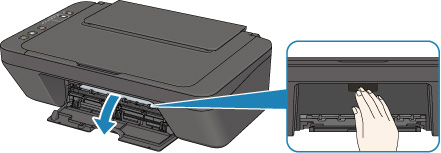
It is now possible to remove Canon Fine ink cartridges. Depending on whether your black cartridge or color cartridge is running out, replace it accordingly.
Press the cartridges down until they click into place. It is now possible to remove the cassettes towards yourself.
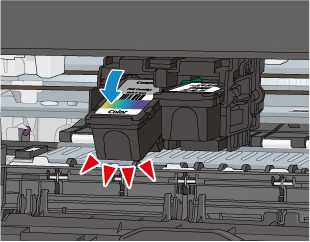
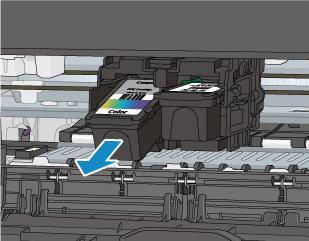
WARNING If you remove the cartridge, immediately insert a new cartridge. Do not leave the printer without the cartridge inserted.
Prepare the new Canon cartridge and remove its protective elements.
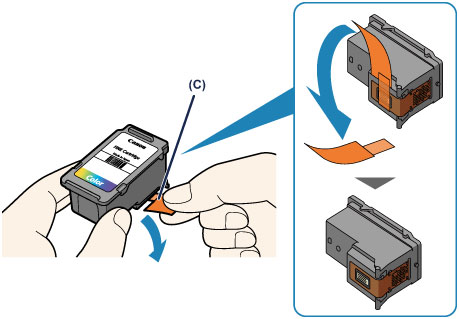
WARNING: Never touch the electronic contacts on the ink cartridge or the nozzles on the bottom.
You can now insert a new cartridge into the printer. Proceed in the reverse order to how you removed the cartridges from the printer. Insert the cartridge at an upward angle and then push it up until it clicks into place.
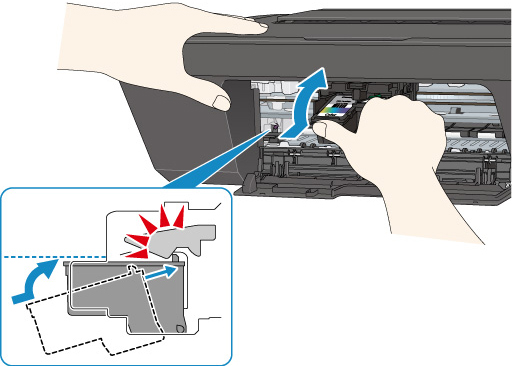
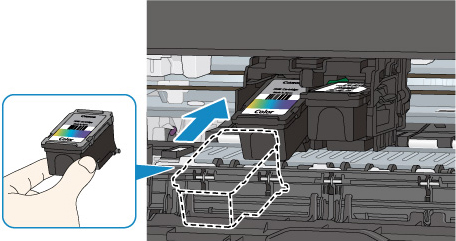
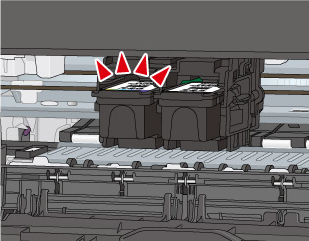
You can now close the printer's front cover
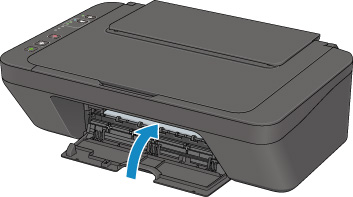
And it's done. You handled everything and you are the best. Now you can happily print :-)
We wish you many beautifully printed photographs, texts, invoices, or anything else.
Denis from CDRmarket.cz