









- Automotive
- Sanding - Polishing
- One sided adhesive tapes
- Packing tapes
- Coloured - marking tapes
- Electrical tapes
- Office tapes, adhesive tapes
- Slick surface tapes
- Metal adhesive tapes
- Masking crepe tape
- Masking special tapes
- Surface protection tapes
- Foam - sealing tapes
- Anti-slip tapes
- Self-adhesive rubber cut-outs
- Special tapes
- Textile tapes
- Warning and reflective tapes
- Double-sided adhesive tapes
- Electrical insulation material
- Glues
- Materials for the production of technical labels
- Flexible stoppers, bumpers
- Velcro straps
- Primers - activators - cleaners
- Accessories for adhesives, applicators
 Monitors
 Laptops
 Desktop and gaming computers
- Accessories and Add-ons
- Backpacks and laptop bags
- Electronic gadgets
- Ergonomic accessories
- External drives
- Gamepads
- Gaming chairs
- Microphones
- Internal drives
- Cables
- Office chairs
- Keyboards
- Mice
- Power supplies
- Memory cards
- Mouse pads
- Projectors and accessories
- Mobile phone accessories
- Speakers
- Keyboard and mouse sets
- Headphones
- USB Flash discs
- Gaming steering wheels
- Scales
- Webcams
Brother - videos, guides, drivers, templates...
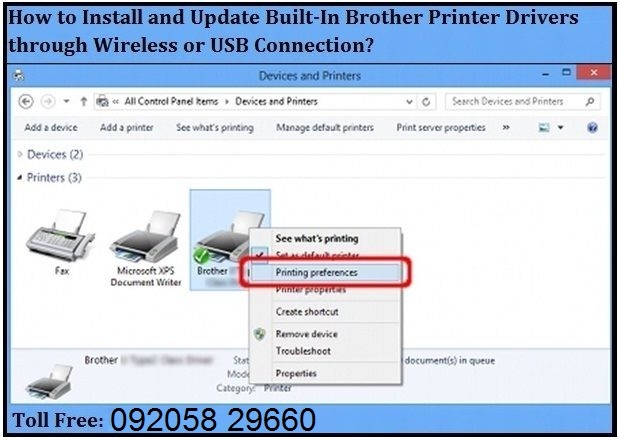 Do you need a driver or manual for your Brother printer?
Everything you need for all printers can be found here:
https://support.Brother.com/g/b/productsearch.aspx?c=cz&lang=en
Working on the go
Do you often work while traveling?
Brother wireless and cloud printing solutions bring simplicity, secure printing, and cloud-based access to all your documents for your business from a wide range of mobile devices.https://www.brother.cz/business-solutions/mobile-and-cloud
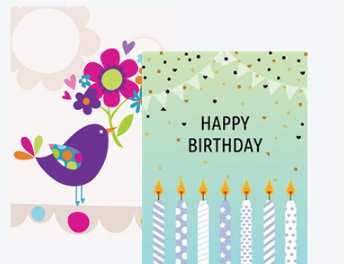 Are you creative? Then Brother Creative Center is just for you.
Over 1000 templates for brochures, business cards, posters, and much more... completely FREE.
https://creativecenter.Brother.eu
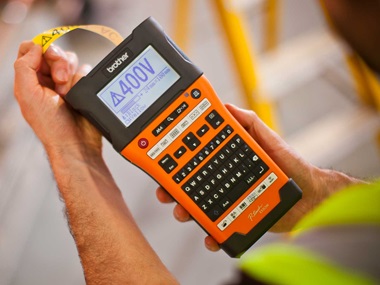
Label makers and label printers
How to easily and best design labels? Use the P-touch Editor program completely FREE OF CHARGE.
P-touch Editor - select your label maker model, operating system, and download the latest version of the program
The P-touch Editor program is entirely in Czech. You can insert barcodes, graphic symbols, as well as the size, width, style, and type of font.
Everyone can choose from two modes:
Express mode
An easy and user-friendly mode that allows you to create professional labels. All main features are available to you.
Professional mode
For demanding users who will make use of barcodes, table printing, and many other features.
How-to Videos
https://www.brother.cz/labelling-machines/electrician-label-printers/how-to-use-videos
 - Creating labels from a database or spreadsheet
- How to download and use the cable label tool - Brother Cable Label Tool
- Label creation for cables, switchboard panels, socket or panel labels
- Creation of warning labels and standardized testing / inspection labels in the application