









- One sided adhesive tapes
- Packing tapes
- Coloured - marking tapes
- Electrical tapes
- Office tapes, adhesive tapes
- Slick surface tapes
- Metal adhesive tapes
- Masking crepe tape
- Masking special tapes
- Surface protection tapes
- Foam - sealing tapes
- Anti-slip tapes
- Self-adhesive rubber cut-outs
- Special tapes
- Textile tapes
- Warning and reflective tapes
- Double-sided adhesive tapes
- Electrical insulation material
- Glues
- Flexible stoppers, bumpers
- Velcro straps
- Primers - activators - cleaners
- Accessories for adhesives, applicators
Do you know what printer resolution to choose?
You may encounter resolution in various types of devices – monitors, scanners, digital cameras, and of course printers as well. Resolution can be specified in pixels or, in the case of printers, in DPI units. What are the differences between the individual resolutions, and what value is sufficient for high-quality printing, we will discuss in the following lines.

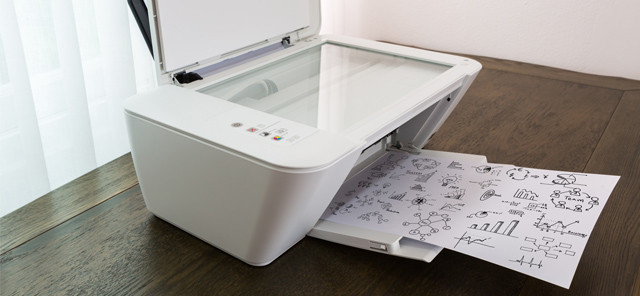
Printer resolution is one of its most important parameters, because it plays a substantial role in evaluating print quality and speed, as well as its subsequent economic efficiency. Current printers have various resolutions, so it will not be unusual if, when viewing the parameters of individual printers, you see different DPI values. While some printers offer 1200 or even up to 1440 DPI, others remain at the standard resolution of 600 or 300 DPI. So let's take a look at what this figure of theirs indicates.
Dots Per Inch, or the number of dots per inch
The abbreviation is derived from the English term, and this value essentially indicates how many dots a printer can print on a single line per unit length of one inch (inch = 2.54 cm).
This resolution value is most often expressed in two dimensions, namely horizontal and vertical.EXAMPLE: If a printer is specified, for example, as 600 x 1200 DPI, it means that the printer will produce 600 dots per inch in a row and 1200 dots in a column over the same unit length. If only one value is given, for example 300 DPI, then in this case it should mean the same vertical and horizontal resolution.
Of course, the rule applies that the higher the resolution, the more contrasty the resulting image is. At the same time, however, it is also true that as the resolution increases, the time required to process the document also increases. By reducing the resolution, the printing process is correspondingly shortened. Therefore, for high-quality and most accurate printing of a text or image document, setting the printer resolution to 300 DPI will be sufficient.
Resolution in pixels and DPI resolution
Although in general both refer to resolution, they cannot under any circumstances be considered the same.
While in the case of pixels it is the number of image points (PPI) that the camera can capture, in the case of DPI it is the aforementioned density of dots produced by the printer. So if you take a photograph with, for example, an 8 MP camera, this photograph will consist of 8 million pixels. Enlarging an image reduces its resolution (fewer PPI), and conversely, reducing its size increases the resolution. After editing the photograph and multiplying the individual sides of the image in pixels, you will obtain the total number of points that make it up (Mpx).Photo format
If you have the photo resolution in pixels and the printer resolution in DPI, you can easily calculate the print size format using a simple equation.
2.54 (inch) x number of dots (image resolution in pixels) ÷ DPI resolution = size (in cm)
We can illustrate this clearly using an image taken with an 8 MP camera, with dimensions of 3464 x 2309. At this point, we would like to remind you once again that a resolution of 300 DPI is also recommended for printing photographs. After entering the parameters into the equation: 2.54 x 3464 ÷ 300 and 2.54 x 2309 ÷ 300, we find that the photograph will have dimensions of 29.3 x 19.6 centimeters. However, if you play around with the resolution and reduce it, for example by half, to a value of 150 DPI, the dimensions of the photograph can be doubled. However, a more significant reduction in DPI will result in a loss of contour sharpness, and therefore these photographs will be more suitable for viewing from a greater distance.
You don't need anything more for high-quality printing
A sufficient number of pixels gives you plenty of room to edit your photos for high-quality printing. When printing photographs, as well as texts, you do not need to chase printers with high resolution values, because even lower DPI guarantees high-quality results.