









- Automotive
- Sanding - Polishing
- One sided adhesive tapes
- Packing tapes
- Coloured - marking tapes
- Electrical tapes
- Office tapes, adhesive tapes
- Slick surface tapes
- Metal adhesive tapes
- Masking crepe tape
- Masking special tapes
- Surface protection tapes
- Foam - sealing tapes
- Anti-slip tapes
- Self-adhesive rubber cut-outs
- Special tapes
- Textile tapes
- Warning and reflective tapes
- Double-sided adhesive tapes
- Electrical insulation material
- Glues
- Materials for the production of technical labels
- Flexible stoppers, bumpers
- Velcro straps
- Primers - activators - cleaners
- Accessories for adhesives, applicators
 Monitors
 Laptops
 Desktop and gaming computers
 Accessories and Add-ons
- Backpacks and laptop bags
- Electronic gadgets
- Ergonomic accessories
- External drives
- Gamepads
- Gaming chairs
- Microphones
- Internal drives
- Cables
- Office chairs
- Keyboards
- Mice
- Power supplies
- Memory cards
- Mouse pads
- Projectors and accessories
- Mobile phone accessories
- Speakers
- Keyboard and mouse sets
- Headphones
- USB Flash discs
- Gaming steering wheels
- Scales
- Webcams
Mounts for Acer Projectors
Acer Projector Mounts – A Practical Solution for Ceiling and Wall Installation
Acer projector mounts let you install projection equipment on the ceiling or wall and adjust its position to suit the specific space. Acer offers ceiling and wall mounts for selected projector models, including solutions for short-throw and ultra-short-throw devices. With a suitable mount, the projector can be positioned away from the desk, saving space and creating a permanent projection setup for offices, classrooms, meeting rooms, and homes.
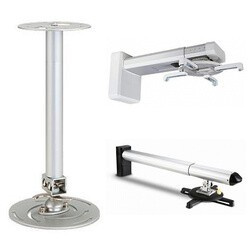
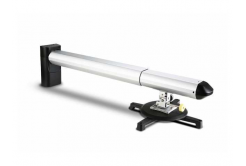
Acer Ceiling Mounts with Adjustable Position
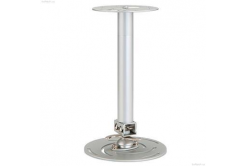
The range includes ceiling mounts for Acer projectors, which vary in design and in the distance between the projector and the ceiling. The manufacturer offers models such as the Acer CM-01S and CM-02S, designed for mounting compatible projectors.
- Acer CM-01S – a shorter ceiling mount that positions the projector approximately 11 cm from the ceiling.
- Acer CM-02S – a model that allows you to set the distance from the ceiling to approximately 11, 26, or 64 cm.
- Angle adjustment – according to the manufacturer, both models listed allow 360° horizontal rotation and tilting within a range of ±25°.
- Load capacity – the ceiling mounts listed support loads of up to 20 kg when installed correctly.
The position setting helps adjust the projection direction to the desired image placement. Before purchasing, however, it is necessary to check whether the mount is compatible with the specific Acer projector model.
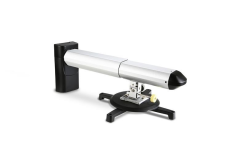
Wall mounts for short-throw projectors
Wall mounts are also available for selected Acer projectors, such as the Acer SWM06. These structures are used especially in installations where a projector needs to be placed in front of the projection surface at a precisely specified distance.
Wall mounting is practical, for example, in school classrooms or presentation spaces, where a short-throw or ultra-short-throw projector can project an image from a short distance from the wall.
What to focus on when choosing an Acer mount?
When choosing a mount for an Acer projector, it is important to consider not only the mounting method, but also the technical requirements of the specific projector and the possibilities offered by the space.
- Compatibility – check the supported projector models and corresponding mounting holes.
- Mounting type – ceiling or wall mounting, depending on the projector’s design and the room layout.
- Distance and adjustment – the length of the mount and the available swivel or tilt options.
- Load capacity and mounting – both the bracket and the mounting surface must safely support the required load.
- Projection distance – the projector’s placement must correspond to the desired size of the projected image.
Thoughtful projector placement for everyday use
Original Acer mounts make it possible to create a projection setup tailored to the room’s dimensions and the type of viewing. When planning the installation, it is also advisable to take into account the size and position of the projection screen to ensure that the projector’s final position matches the required projection distance.
Whether you’re looking for an Acer ceiling mount for everyday projection or a wall-mounted solution for a special installation, choosing the right combination of mount and compatible projector is essential. During installation, always follow the manufacturer's instructions and the requirements for secure fastening.