









- One sided adhesive tapes
- Packing tapes
- Coloured - marking tapes
- Electrical tapes
- Office tapes, adhesive tapes
- Slick surface tapes
- Metal adhesive tapes
- Masking crepe tape
- Masking special tapes
- Surface protection tapes
- Foam - sealing tapes
- Anti-slip tapes
- Self-adhesive rubber cut-outs
- Special tapes
- Textile tapes
- Warning and reflective tapes
- Double-sided adhesive tapes
- Electrical insulation material
- Glues
- Flexible stoppers, bumpers
- Velcro straps
- Primers - activators - cleaners
- Accessories for adhesives, applicators
Do you know how the scanner in a printer works?
While in the recent past a scanner was more likely to be part of the equipment of a well-appointed office in a prosperous company, today it is already a common part of any multifunction printer. Thanks to these printers, we can therefore not only print at home or make copies of various documents by copying. The multifunction printer also offers us another practical advantage. With a scanner, we can scan any original and transfer its image in digital format to a computer, where we can further edit or process it into the desired form if needed.

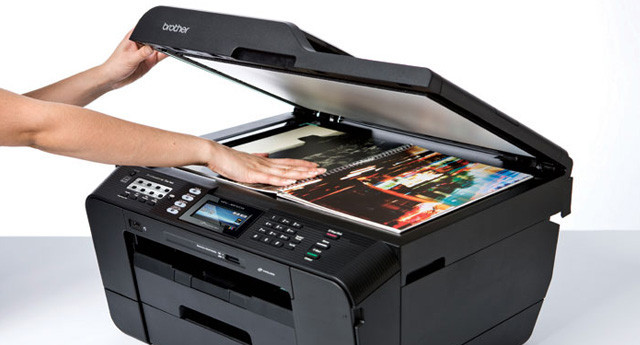
Even though it sounds rather complicated, appearances can be deceiving. Multifunction printers and scanners have undergone fairly significant changes over time, and today, in addition to an affordable price, they also offer easier operation. Scanning documents is not really anything complicated, and even a complete beginner can handle scanning without major problems. To scan, simply place the original on the scanner glass, close the lid, and press the button. Your scanner will take care of everything else. But do you know what happens after pressing the button and how the whole process works?
Illumination and scanning of the original
In order for a scanned document to be transferred to a computer at all, the scanner must first illuminate it. To illuminate and capture the original, scanners usually use a conventional optical system with a cathode lamp, a system of reflective mirrors or lenses, and CCD sensors. Some scanners, however, may use CIS technology (Contact Image Sensor) to illuminate the document, which features imaging and highly luminous LEDs.
After the scanner is started, the scanning mechanism with the optical system begins to move beneath the glass surface and starts scanning the document line by line. The moving mechanism moves in such a way as to capture the entire scanned document, while the number of lines and the number of captured points depend on the scanner resolution.
Scanner resolution
Scanner resolution is, similarly to printer resolution, specified in dpi (dots per inch). This value indicates how many dots the scanner is capable of displaying over a length of one inch. With a scanner with a higher dpi, we can expect a more thorough, sharper, and more detailed conversion of documents into digital form.
Current scanners have a resolution of approximately 600 dpi, which is more than sufficient for scanning any common documents. In addition, some scanners can increase their optical resolution by adjusting the number of dots. In such a case, each originally evaluated point is divided into several additional points, they are calculated, and any missing points are replaced with them.
Processing the original by the printer
The principle of the scanner is based on the reflection of light from the original. This is where CCD or CIS sensors come into play after the document is illuminated; using a moving mechanism, they capture the reflected light from the original’s lines in the red, green, and blue spectrum.
The sensors then convert the reflected light into an electrical signal according to its intensity. This is then evaluated and, depending on its intensity, converted using an analog-to-digital converter into digital values for each color spectrum.
Pixel files are sent to the computer, where they are arranged in the appropriate format. Scanned text files or images can then be edited by the scanner user, inserted into spreadsheet and text documents, or forwarded by email.
With a multifunction device, you can only gain
Buying a multifunction printer with a flatbed scanner can truly be a good choice. These printers offer easy connectivity, fast and high-quality printing, copying, and uncomplicated scanning. Their relatively low purchase price and lower operating costs also speak in their favor, which you can further enhance with suitable cartridges from our offer.